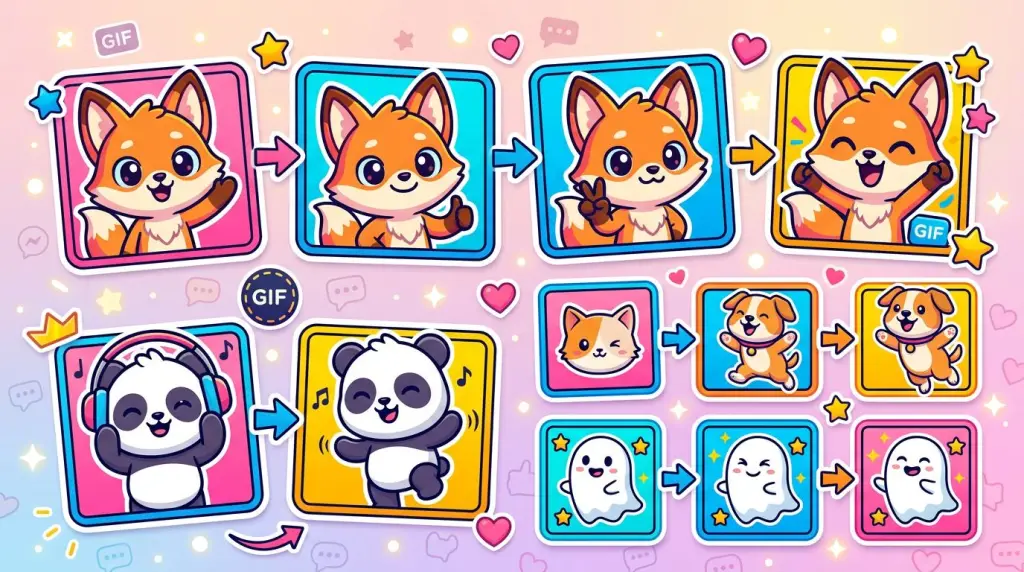
Why GPT Image 2.6 is a sticker machine
OpenAI shipped ChatGPT Images 2.6 / GPT Image 2.6 on 2026-11-04. For meme and sticker makers, the headline features are native GIF output, stronger reference-image character lock, and roughly 50% faster generation. You can ask ChatGPT for a looping GIF in plain language, or call the API with output_format: "gif".
Official announcement: Introducing Images 2.6
Developer note: @OpenAIDevs
| Surface | Name you’ll see | Notes |
|---|---|---|
| ChatGPT product | ChatGPT Images 2.6 | Web, desktop, and mobile image tools |
| API | GPT-Image-2.6 Flare / Sunburst | Model IDs roughly gpt-image-2.6-flare, gpt-image-2.6-sunburst |
| Community | GPT Image 2.6, Image 2.6 | Common shorthand on X |
Great for: short looping stickers (blink, wave, shock, “that’s so good”), avatar/pet/IP reply packs, WeChat Sticker Open Platform submissions and Telegram packs (after sizing/compression).
Not great for: long complex physics, dense multi-beat animation, or treating it as a video model. Keep clips sticker-short.
Naming check: “GPT Image 2.6”, “GPT-Image-2.6”, and “ChatGPT Images 2.6” are the real 2026-11-04 product names—not a rumor. Older GPT Image 2.5 / “4o image” workflows still appear in older posts; for native GIFs, prefer 2.6.
Setup
Accounts and entry points
| Path | You need | Best for |
|---|---|---|
| ChatGPT (recommended to start) | ChatGPT account; Images 2.6 is described as available across subscription tiers on web/desktop/app | One character pack, upload refs, ask for GIFs in natural language |
| Codex | Codex access; on launch day some users reported Codex could not reach 2.6 while ChatGPT web could | Dev workflows; new features often roll out later than chat |
| OpenAI API | API key; call Flare or Sunburst with output_format: "gif" |
Batch jobs and product tooling |
A frequent launch-day gotcha from 歸藏 (@op7418) and others: Codex may not expose 2.6 yet—switch to ChatGPT web for GIFs.
Asset checklist
- 1–2 character reference images (clear front view, consistent style)
- A theme sheet of meaning words + actions (plan 8 / 12 / 16 / 24 frames before you generate)
- Optional: existing static stickers to animate
- Post tools: Photoshop, ezgif, gifski, ffmpeg, etc. for resize / compress / transparency
Legal and platform basics
- WeChat Sticker Open Platform expects original or licensed art; ordinary real-person photo packs are usually not accepted as “live-person” stickers.
- Confirm rights before commercializing someone else’s IP or meme character.
- Platforms reject ads, sensitive content, and packs that miss transparency / outline specs.
Workflow: one character, many GIFs
A. Lock the character (once)
- Open ChatGPT’s image / Images tools.
- Upload one strong reference (avatar, pet, chibi OC).
- Generate one still “hero” frame and approve face, colors, outfit, and art style.
- Tip from @karanwithai: keep the same reference on every generation; only change action and emotion.
B. Write a pack theme list
Example everyday reply set:
| # | Meaning | Action idea |
|---|---|---|
| 01 | Got it | Salute / nod |
| 02 | LOL | Big laugh, slam desk |
| 03 | Huh? | Head tilt, wide eyes |
| 04 | Done for | Faceplant on desk |
| 05 | I’m broken | Exaggerated crash-out |
| 06 | So good | Eating (see Gorden’s example below) |
| 07 | Clock out | Dash off-frame / wave |
| 08 | Watching the drama | Hold a melon / popcorn |
WeChat meaning labels are often ≤4 Chinese characters; keep on-image text short (about 2–8 characters or a short English punchline).
C. Generate each GIF
Path 1 — Native GIF (main 2.6 play): same reference every time; fixed prompt template; change only theme/line/action; demand square, loop, locked camera, seamless ends, real playable GIF (no storyboard grid).
Path 2 — Still → GIF: upload a static sticker and ask for micro-motion only. Example: @abc123953468547.
Path 3 — Multi-panel still sheet, then animate per panel: useful for layout planning; still generate each GIF separately for loop quality.
D. QA checklist
- Face / outfit / palette drift?
- Actually a moving GIF, not a still or contact sheet?
- Seamless loop?
- Caption stable and not covering the face?
- Readable in one second?
If motion falls apart: shorten the action, drop props, favor blink / headshake / tail sway. Several X users report dense motion is still shaky.
E. Export for the target platform
Resize, compress, transparency, white outline—see the platform specs below—then submit or import.
Prompt patterns you can copy
Recommended structure
- Character lock (ref + frozen visual DNA)
- Framing & background (1:1, transparent or white, centered with margin)
- One joke beat + light secondary motion (hair/tail)
- Caption rules (length, placement, stroke, locked for the whole clip)
- Motion params (~2–3s, loop, fixed camera, ~dozen frames)
- Output constraints (real GIF; no still / no 3×3 grid)
- Theme variable for this sticker
Example 1 — Reference → single GIF (swap “Got it!”)
Adapted from @derek_wall90176:
Using my uploaded image as the character reference, create a truly looping GIF sticker.
Keep the face, hair, outfit, colors, and overall style identical to the reference.

Use a 1:1 square canvas, transparent background, medium close-up focusing on face and hands.
Add a bold caption “Got it!” at the top and keep its position and style fixed for the whole animation.

The character smiles, raises a hand in a salute, blinks happily, then lowers the hand back to the starting pose.
Locked camera; start and end frames should match for a clean loop.

About 16 frames over 2.5–3 seconds. Avoid flicker, sudden morphing, extra limbs, or camera cuts.
Output a playable animated GIF directly—no still image and no storyboard grid.
Swap the quoted line and rewrite the action (“slam desk laughing”, “cover mouth in shock”, etc.).
Example 2 — One-liner + reference
From @Gorden_Sun:
Using this character, generate a GIF of her eating a big bowl of plain rice, with the text: 真香!
Fast for testing; still upload a reference for consistency.
Example 3 — Full template (theme on the last line)
From 歸藏 @op7418 (replace the “Dafeiyu / Big Fat Fish” DNA with yours):
Using my uploaded character image as the look and style reference, and following the “sticker theme” on the last line, create a downloadable looping GIF sticker.

[Character consistency]
Keep the blue gradient long hair, ahoge, whale ear fins, blue bow, white maid headdress, blue-white maid dress, and large whale tail.
Keep the big-head chibi proportions, round face, and cute style; appearance must stay consistent across every frame.

[Auto-design the action]
Interpret the emotion or meme I want, and turn it into one simple, funny, instantly readable short motion.
Lead with one core gag; use exaggerated expression, contrast, and light squash-and-stretch.
Let hair, ahoge, fins, and tail follow the motion naturally.
Add only minimal props if needed; keep the frame clean.
Design start/end continuity so the clip loops.

[Auto caption]
Distill a short, meme-y Chinese caption (prefer 2–8 characters).
If the theme quotes a line in quotation marks, use that line exactly.
Place the caption at the top in a bold rounded font, deep blue fill with white stroke; keep glyph and position stable; never cover it with the character or props.

[Framing & delivery]
Square canvas, pure white background, locked camera, subject centered with enough margin.
About 2–3 seconds, infinite loop, clear motion, chat-sticker friendly.
Deliver a real multi-frame GIF with download.

Sticker theme: 【one sentence describing the meme, emotion, or action】
White backgrounds are fine while iterating; for WeChat you usually convert to transparent + ~2px white outline.
Example 4 — Still → loop
From @abc123953468547:
Turn this image into an infinitely looping GIF sticker. Strictly keep the original appearance, outfit, colors, art style, composition, and any existing text. Based on the pose and expression, add cute micro-motions such as blinking, head shakes, body sway, or tail wags. Keep the motion smooth with matching start and end frames.
Example 5 — Plan a 12-pack sheet (then animate one by one)
From @karanwithai:
Draw a 12-sticker orange-cat office-worker pack: round chubby orange cat with a blue necktie, thick black crayon lines, orange/blue palette, off-white background, exaggerated funny faces, consistent character. Arrange 3 columns × 4 rows with captions: happy, steamed, pouty, dying of laughter, got it, huh?, wiped out, I’m broken, play dead, waiting for the sequel, can’t watch, clock out!
Follow-up flow from the same account: lock reference → per-sticker motion only → export GIFs → submit to WeChat.
Example 6 — Avatar → personal Q-version pack
Pattern inspired by @xulijian1994:
Using my uploaded avatar as the person reference, generate a cute Q-version looping GIF sticker.
Keep facial features recognizable and the style consistent.
1:1 square, subject centered, optional short caption.
Action: 【blink & wave / proud hands-on-hips / eye-roll】.
About 2–3 seconds, locked camera, output a playable GIF.
Style lock, transparency, and sizes
Style lock (X consensus)
- One hero reference for the whole pack
- Freeze visual DNA (hair, palette, outfit, line weight, proportions)
- Change only emotion / action / caption
- Prefer short motion and few props
- Locked camera—no cuts—for stable loops
White vs transparent
| Stage | Suggestion | Why |
|---|---|---|
| Fast ChatGPT drafts | White or explicit transparent | White is often more stable; say “transparent” if you need it |
| WeChat cartoon stickers | Transparent + ~2px white outline | Common hard requirement |
| Telegram static | Transparent PNG/WEBP; white outline + soft shadow | Matches official examples |
| Telegram video stickers | WEBM VP9, one side 512px | GIFs usually need re-encode |
API stills support background: "transparent" for PNG/WebP. Whether GIF alpha survives depends on the actual file—check locally before upload.
Sizing mindset
- Generate large square frames first, then downscale to platform size.
- Target ~2–3 seconds looping (also matches Telegram’s ≤3s video-sticker limit).
- API knobs (verify against current docs):
frame_count,frame_duration_ms,output_format: "gif".
WeChat quick specs (verify on the live site)
Portal: WeChat Sticker Open Platform
| Asset | Format | Size | Typical size cap | Notes |
|---|---|---|---|---|
| Main stickers | GIF | 240×240 | ~100KB each (cartoon) | Transparent; often 2px white outline; don’t mix static/animated in one pack |
| Thumbnails | PNG | 120×120 | ~50KB | 1:1 with mains |
| Chat icon | PNG | 50×50 | ~30KB | Front face works best |
| Cover | PNG | 240×240 | ~80KB | Half/full body preferred |
| Detail banner | JPG/PNG | 750×400 | ~80KB | Usually no text; avoid transparent/near-white |
Pack counts commonly include 8 / 12 / 16 / 20 / 24—use whatever the upload UI offers.
Telegram quick specs (official stickers docs)
| Type | Format | Key limits |
|---|---|---|
| Static | PNG / WEBP | One side must be 512px; transparent; white outline recommended |
| Video | WEBM + VP9, no audio | One side 512px; ≤3s; ≤~256KB; ≤30 FPS |
| Animated .TGS | Lottie pipeline | Not the same as GPT GIF output |
ChatGPT GIFs are fine for personal chats; official sticker packs usually need PNG or WEBM via @Stickers.
Export and publish
Personal use only
Download the GIF → send to Favorites / File Transfer → long-press to add as a sticker. Strict 240×240 is optional; compress if sends fail.
WeChat Open Platform (most discussed monetization path)
Summary from @ama_huangama plus public docs:
- Log in at sticker.weixin.qq.com
- Submit work → sticker album
- Upload mains, thumbs, cover, icon, banner
- Fill name and meaning words
- Enable sticker tipping/appreciation if you want that revenue path
- Wait for review; schedule release when approved
@karanwithai also documented: Images 2.6 lock character → motion-only variants → GIFs → Open Platform (their “Orange Cat Workday” 12-pack was submitted for review).
Pre-submit checklist: all 240×240 GIFs under size caps; transparent + white outline; numbered 01, 02, … mains/thumbs; all animated or all static; banner without text; recognizable cover.
Telegram pack
Choose static vs video → convert GIF accordingly → talk to @Stickers → bind emoji → share the pack link.
API batch (advanced)
- Pick Flare (fast) or Sunburst (detail / multi-turn consistency).
POST /v1/images/generationswithoutput_format: "gif".- Decode and save
.giffiles. - Locally resize, compress, rename, then upload.
Community and docs repeatedly note: GIF belongs on generations; the edit endpoint does not output GIF, and GIF/SVG as edit inputs have limits.
Finished examples from X (worth opening)
Four real public posts from launch week—open them to see motion, captions, and workflow notes:
- 歸藏 · Big Fat Fish GIF set — hot IP loops + the Codex-vs-ChatGPT tip; prompts in replies. View post
- Gorden Sun · “真香!” rice GIF — reference lock + Chinese meme caption in one short prompt. View post
- 零点 Drift · “Orange Cat Workday” 12-pack — full pack toward WeChat submission; two-step consistency method. View pack · WeChat submit note
- Kxians · Avatar → Q-version personal pack — personal-IP stickers from a social avatar. View post
Tips and traps (with sources)
Tips
| Tip | Why it helps | Source |
|---|---|---|
| Native GIF stickers are a killer 2.6 use case | Highest practical upside for many creators | @blune66 |
| Reference + change only motion | Stops character drift | @karanwithai |
| Avatar → personal pack | Instant brand stickers | @xulijian1994 |
| Fixed template, last-line theme only | Cleaner batching | @op7418 |
| Micro-motion over complex choreography | Better loops | Multiple posts; still→GIF templates |
| Ship to WeChat, don’t stop at X flexes | Possible tipping path | @ama_huangama |
| GIF-as-reference → new GIF | Discussed product capability | @cgnot996 |
Traps
| Trap | Fix | Source |
|---|---|---|
| Codex ≠ ChatGPT rollout | Use ChatGPT web for GIFs | @op7418 |
| Model returns a grid instead of a GIF | Ban storyboards in the prompt | @derek_wall90176 |
| Complex motion melts / limbs glitch | Shorten action; sticker-scale loops | @hahamao0608, @NickyLi42 |
| Raw chat GIF uploaded to WeChat | Fix size / weight / outline / alpha | Platform rules + field reports |
| Real photos as WeChat “live person” stickers | Cartoonize; use cartoon category | Public WeChat rules |
| Mixing static and animated in one pack | Keep one mode per album | Public production guides |
| Expecting GIF from the edit API | Use generations for GIF | Docs + @MaynorAI1 |
Advanced notes
Character asset library: hero still + a few expression tests; one frozen DNA paragraph; a spreadsheet of meaning / action / caption / filename; reuse the same reference every time.
Product ideas on X (not advice): sticker sites, brand mascot subscriptions, ecommerce loop assets, IP workshops—see @MaynorAI1. Handle IP, platform rules, and cost yourself.
Flare vs Sunburst: Flare for fast iteration and drafts; Sunburst when final hero frames and multi-turn consistency matter more.
Vs older Image 2.5: multi-panel sticker sheets already existed; native GIF is the meaningful 2.6 upgrade. Treat “4o image” as older slang and trust your live UI/model name.
30-minute MVP
- Confirm ChatGPT can use Images 2.6 and return GIFs.
- Upload a reference; run Example 1 for a “Got it!” sticker.
- Clone the prompt; change only caption + action until you have 8 frames.
- Personal use: download and send.
- WeChat path: unify to 240×240, transparent, white outline, compress → submit at sticker.weixin.qq.com.
Key references
Non-X docs: OpenAI Images 2.6 · WeChat stickers · Telegram stickers · Telegram import formats
Disclaimer: Platform rules, model availability, and API fields change. For publishing and commercial use, follow each platform’s latest docs and your own account tests. X citations above come from publicly retrieved posts and were not fabricated.