This update does two things: you can get back the credits spent on a clearly broken image, and refining an existing panel — including Infinite Canvas edits — now costs less on selected models.
- Buy a pack that includes bad-image refunds and the quota is written to your account immediately, valid for 30 days
- If a panel or character image breaks, you can request a refund of the credits charged for that image, auto-reviewed in about 2 hours
- Refining the same panel, and Infinite Canvas edits, cost less than a first generation on selected models
- Remaining chances and request history are always on the credit consumption log page
How bad-image credit refunds work
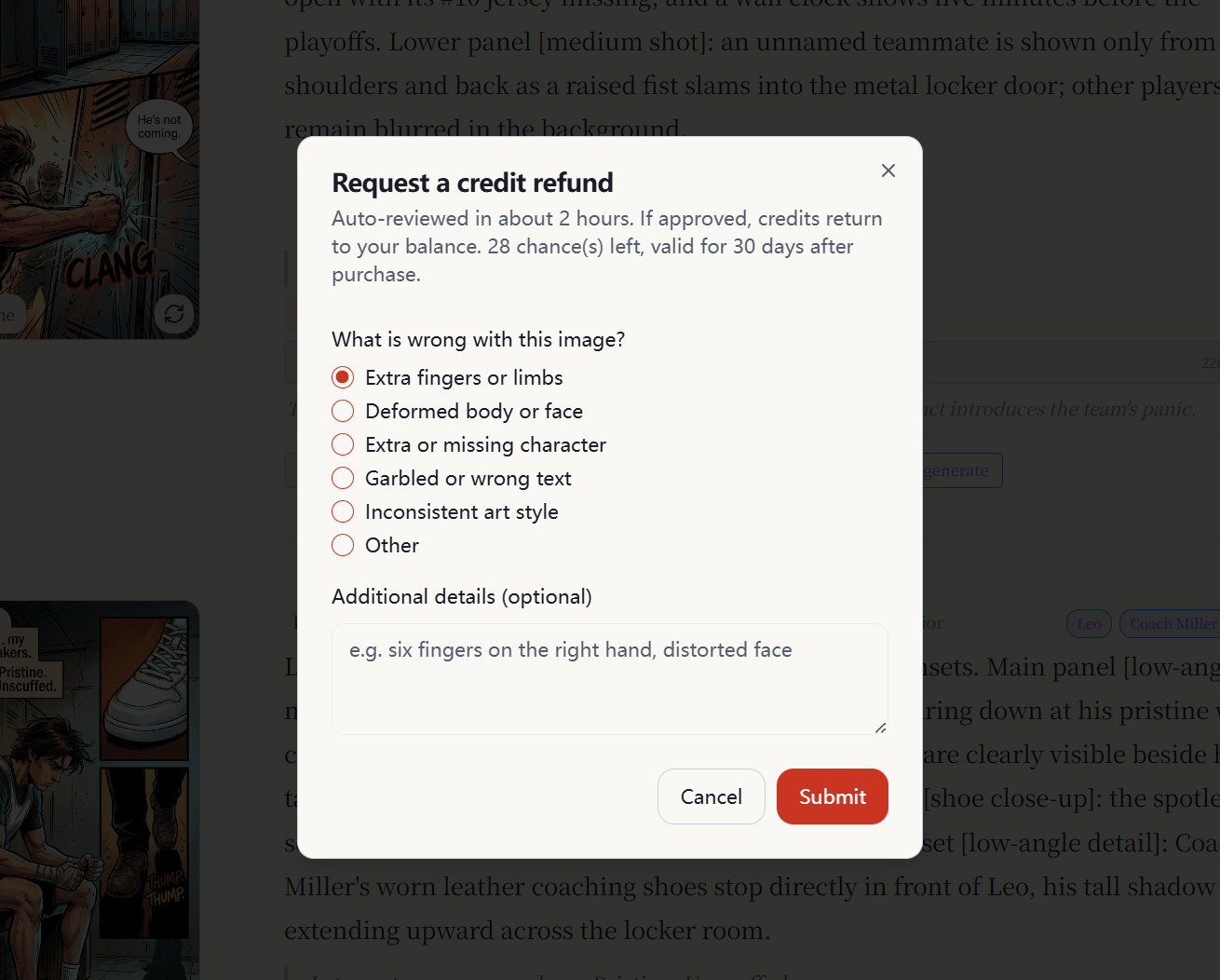
AI images sometimes come out with extra fingers, warped faces, extra or missing characters, garbled text, or a mismatched art style. When that happens, you can request a refund of the credits actually charged for that image — not the whole pack.
Where the quota comes from
Refunds are limited. They are tied to credit packs, not unlimited.
- Open Pricing and pick a pack that lists bad-image credit refunds. The number of chances is what the pack page shows.
- As soon as payment succeeds and credits land, the refund quota is written to your account. There is nothing else to turn on.
- Each purchase is its own grant. It is valid for 30 days from the day it is added. Unused chances expire.
- Multiple purchases stack: remaining chances = unused chances on all grants that have not expired.
- Packs that do not include this benefit do not add refund chances.
You can check remaining chances, days left, and request status at the top of Credit consumption logs.
Which images qualify
You can request a refund on images you generated in your own project:
- Comic panels
- Character portraits
- A specific character version
All of the following must also be true:
- The image has finished generating and is still there (images still generating, or with no result, cannot be submitted)
- There is a matching credit charge (we refund what that image actually cost, not a flat 20 credits)
- Each generated image can be submitted only once. If you regenerate a new image, that new image can be submitted separately.
- If generation failed and credits were already auto-refunded, you cannot submit again for the same image.
Reasons you can choose
Pick a reason when you submit. Extra detail is optional:
- Extra fingers or limbs
- Deformed body or face
- Extra or missing character
- Garbled or wrong text
- Inconsistent art style
- Other
What happens after you submit
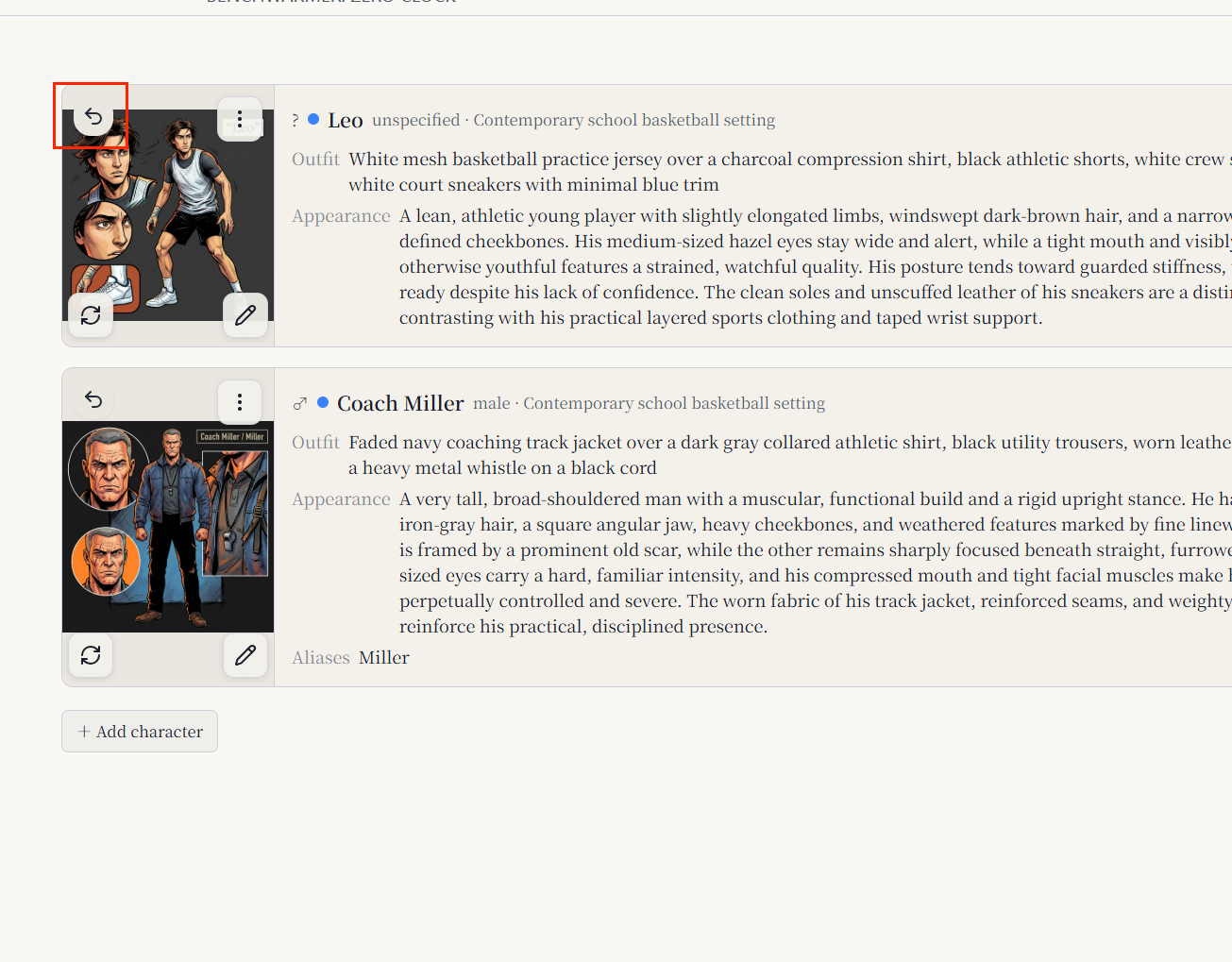
- On a panel or character image, tap Refund bad image, choose a reason, and submit.
- A successful submit uses 1 chance immediately.
- About 2 hours later the request is auto-reviewed. If it is approved, the credits charged for that image return to your balance, and you get an in-app notification.
- The credit log shows a Bad image refund entry. Request status on the consumption log page is processing or completed.
Use this for images that are clearly unusable — not for taste, style preference, or “I want another try.” If the composition is mostly fine and you only want to change expression, background, or lighting, same-image refine is the better (and cheaper) path.
Cheaper same-image edits
Previously, the first generation of a panel and a later edit of that same image cost the same. Now: the first generation still uses the model’s full price; edits that start from the current image cost less on selected models.
This applies to:
- Refine on a panel in the Make workspace (expression, background, lighting, and similar)
- Edits on Infinite Canvas that continue from the current image
This does not apply to:
- The first generation of a panel, which still uses the first-generation price
- Character portrait generation or regeneration, which still uses the character-image price (currently 10 credits)
Credit cost by model
| Model | First generation | Same-image refine / canvas edit |
|---|---|---|
| Nano Banana 2 | 20 | 15 |
| GPT Image 2 | 20 | 15 |
| Seedream 5 Pro | 15 | 10 |
| Nano Banana 2 Lite | 10 | 10 |
| Seedream 4.5 | 20 | 20 |
| HiDream O1 | 10 | 10 |
| Grok Imagine | 15 | 15 |
Models without a lower edit price still charge the first-generation amount. If generation fails, those credits are refunded as before.
How to use both
- The image is clearly broken: request a bad-image refund. Chances are limited — save them for images you cannot use.
- The shot is mostly usable and you only need a local change: use Refine or Infinite Canvas. On selected models that is cheaper than regenerating the whole panel.
- To check remaining chances or whether a refund landed: open Credit consumption logs.
- If you have no refund chances yet: see which packs include this benefit on Pricing.
FAQ
Are chances added as soon as I buy?
Yes. They are written at the same moment credits are added after payment. No extra step.
Is the refund always 20 credits?
No. We refund what that image actually cost. If that run was a 15-credit refine, approval returns 15 credits.
What if I run out of chances?
Buy another pack that includes bad-image refunds. The new grant starts a fresh 30-day window from when that order is fulfilled.
Can I cancel after submitting?
No. Submit uses a chance and starts review. Confirm the image and reason before you send it.
Do I lose credits if a refine fails?
No. Failed jobs refund that charge, same as before.