活用例
A young man with spiked platinum blonde hair wearing a purple and charcoal tacti
人物を維持
編集前 編集後 A narrow, winding dirt path disappears into a dense autumn forest during the gol
人物を維持
編集前 編集後 The blonde woman from the character still is seated on a plush, oversized living
人物を維持
編集前 編集後
キャラ背景の使い方
- 1
キャラクター画像をアップロード
描かれたキャラクターのPNGまたはJPGをアップロードします。モデルが顔、ポーズ、服装を合わせるための基準画像になります。
- 2
キャラクターを残すか消すかを選択
キャラクターを画面に残すか、人物のいない背景だけを生成するかを切り替えます。
- 3
画風・モデルを選んで生成
プロンプトを生成するか自分で入力し、画風、モデル、縦横比を選びます。生成ボタンを押すと新しい背景が作成されます。
キャラ背景とは?
The job
Standing portraits often sit on a blank fill. This page swaps the background while keeping the same cast and art style, so the scene can match the rest of your chapter.
How it works
- Upload a PNG or JPG still. This is the visual reference.
- Choose whether the result should keep characters or be an empty environment plate.
- Click Generate prompt (or write your own), pick art style, model, and image size, then generate.
- Logged-in users get a daily free quota; extra runs use credits.
Where it fits in the workflow
Use this tool when the character is already drawn and you only need the scene. For full pages, open the chapter in Create so the new background stays locked to the same cast and story.
Honest limits
AI still misses faces, outfits, and panel continuity. If the output drifts, regenerate or edit inside the chapter instead of stacking disconnected images.
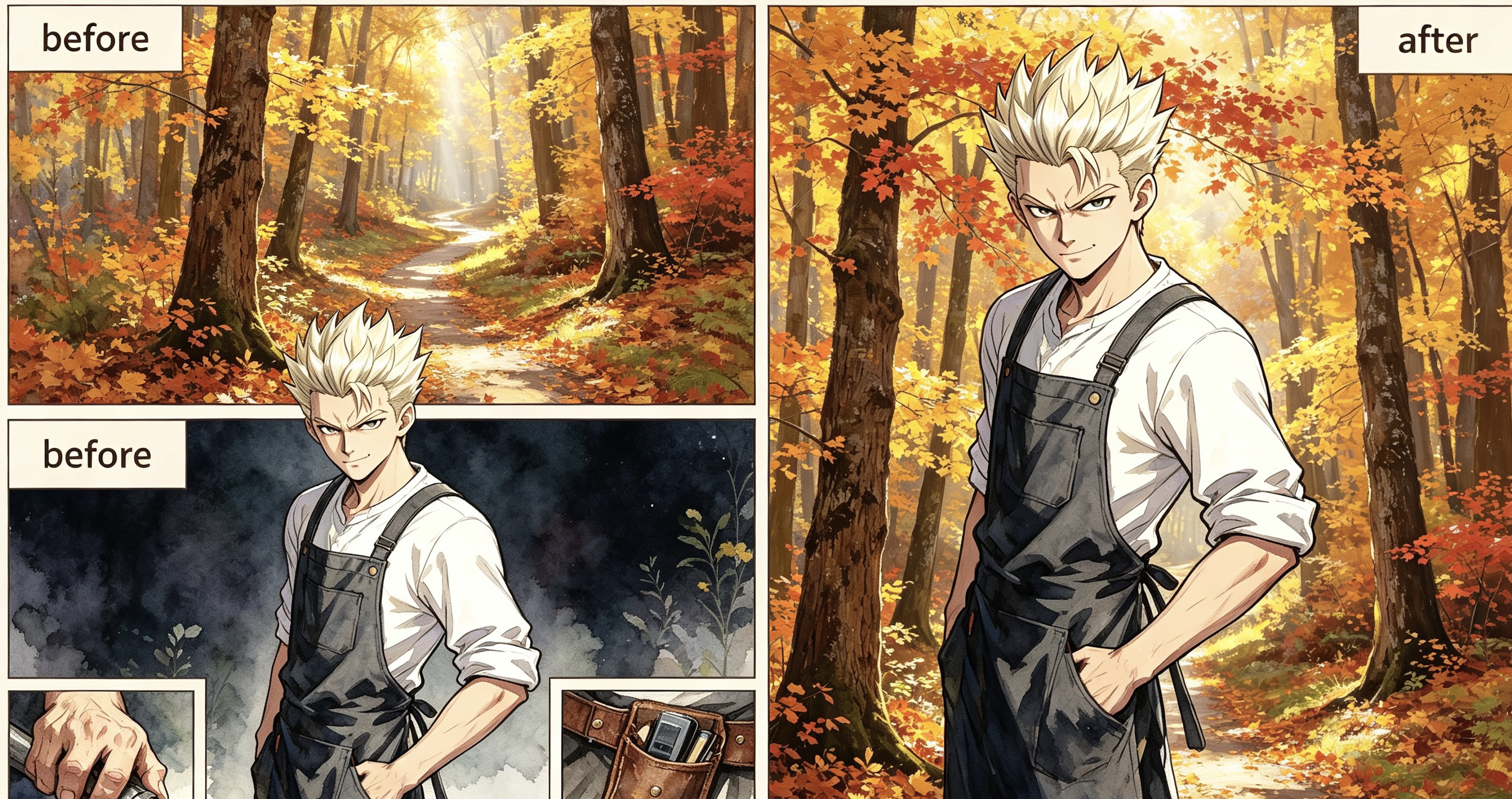
Example: Before & After
Background prompt:
A young man with spiked platinum blonde hair wearing a purple and charcoal tactical jacket stands in the center of a dense autumn forest. The environment is filled with towering maple trees sporting vibrant orange, gold, and amber leaves that create a glowing canopy overhead. A narrow, winding dirt path disappears into the soft golden mist of the background, heavily carpeted in fallen red and yellow foliage. Bright, diffused afternoon sunlight pierces through the vertical tree trunks, creating long, soft shadows and shimmering highlights across the textured bark. The air is clear and still, emphasizing the rich, warm color palette of the woods. The man remains exactly as he appears, his confident pose unchanged amidst the vast scale of the sun-drenched, seasonal wilderness.
Tips for better results
- Name the location, time of day, weather, and a few landmark objects.
- If you keep characters, say so and keep the prompt focused on the environment.
- If you want an empty plate, the model is instructed not to draw people.
- 9:16 is the default vertical panel frame; switch to 16:9 for a wide establishing shot.
Why creators use it
This page is a free AI character-background tool that reuses the same styles and models as Tab Story portraits, so the scene can match the cast.
よくある質問
キャラクターは画像に残りますか?
「キャラクターあり」をオンにすると残ります。顔、ポーズ、服装を保ち、背景だけを置き換えるようモデルに指示します。オフにすると人物のいない背景を作成します。
どの画風とモデルが使えますか?
キャラクター立ち絵ツールと同じ画風・描画モデルを使えます。システムの画風と自分のカスタム画風の両方に対応します。
無料で使えますか?
ログイン済みのTab Storyアカウントは、1日20回のプロンプト生成と1回の画像生成が無料です。追加実行は、プロンプト生成に5クレジット、画像生成に20クレジットを使用します。
どんな場合に制作画面を使うべきですか?
ページ全体が必要な場合や、背景を同じ登場人物や物語に合わせたい場合は、制作画面で章を開いてください。新しいシーンを物語の文脈に沿って作れます。
参考画像とずれる場合は?
AIは顔、服装、コマ間の連続性を正しく再現できない場合があります。関連のない画像を重ねるのではなく、章の中で再生成や編集を行ってください。
横長の導入ショットにも使えますか?
はい。横長のショットは16:9に切り替えます。縦長のコマは9:16のままで作成できます。
関連ツール
ガイド
背景を章に合わせて作りたいですか?
制作画面で章を開くと、新しいシーンをすべてのページで同じ登場人物と物語に結び付けて作成できます。
Tab Storyで制作する