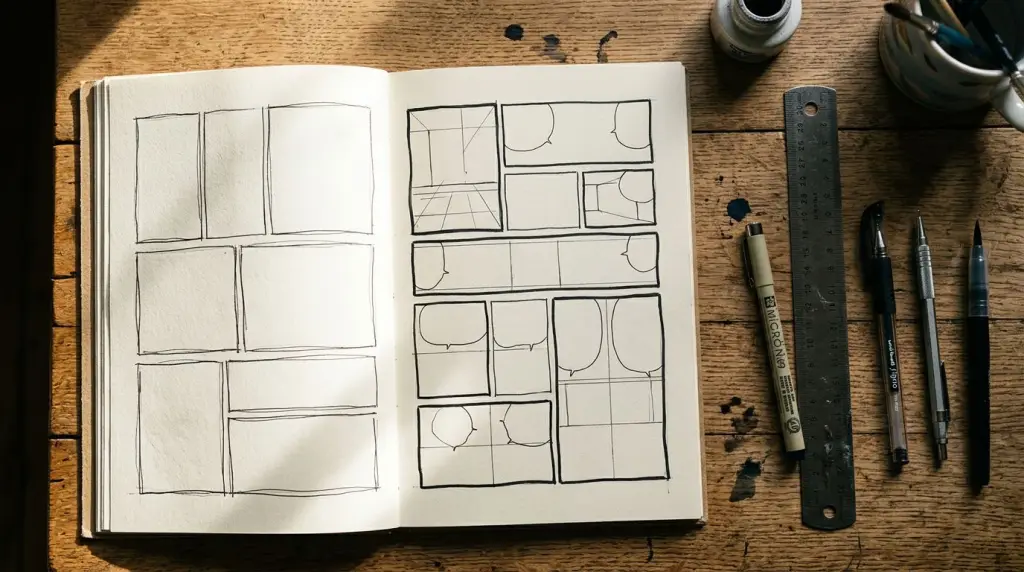
Every creator hits the same wall: the story is solid, the characters are ready, but the page feels dead. Usually the problem isn't the art—it's the panels. This manga panel guide breaks down the layout rules, reading flow logic, and composition principles that separate a page people skip from one they can't stop reading. Whether you're drawing by hand or using an AI manga generator to build pages from your script, these fundamentals apply.
What Is a Manga Panel Layout and Why Does It Control Everything?
A manga panel layout is the deliberate arrangement of bordered frames on a page. It controls pacing, emotional weight, and where the reader's eye travels. A bad layout kills tension even when the writing is strong. A good layout makes silence feel loud and action feel fast.
Think of each page as a director's cut. You decide what the camera sees, for how long, and in what order. Panels are your shots. The borders between them—called gutters—are the cuts.
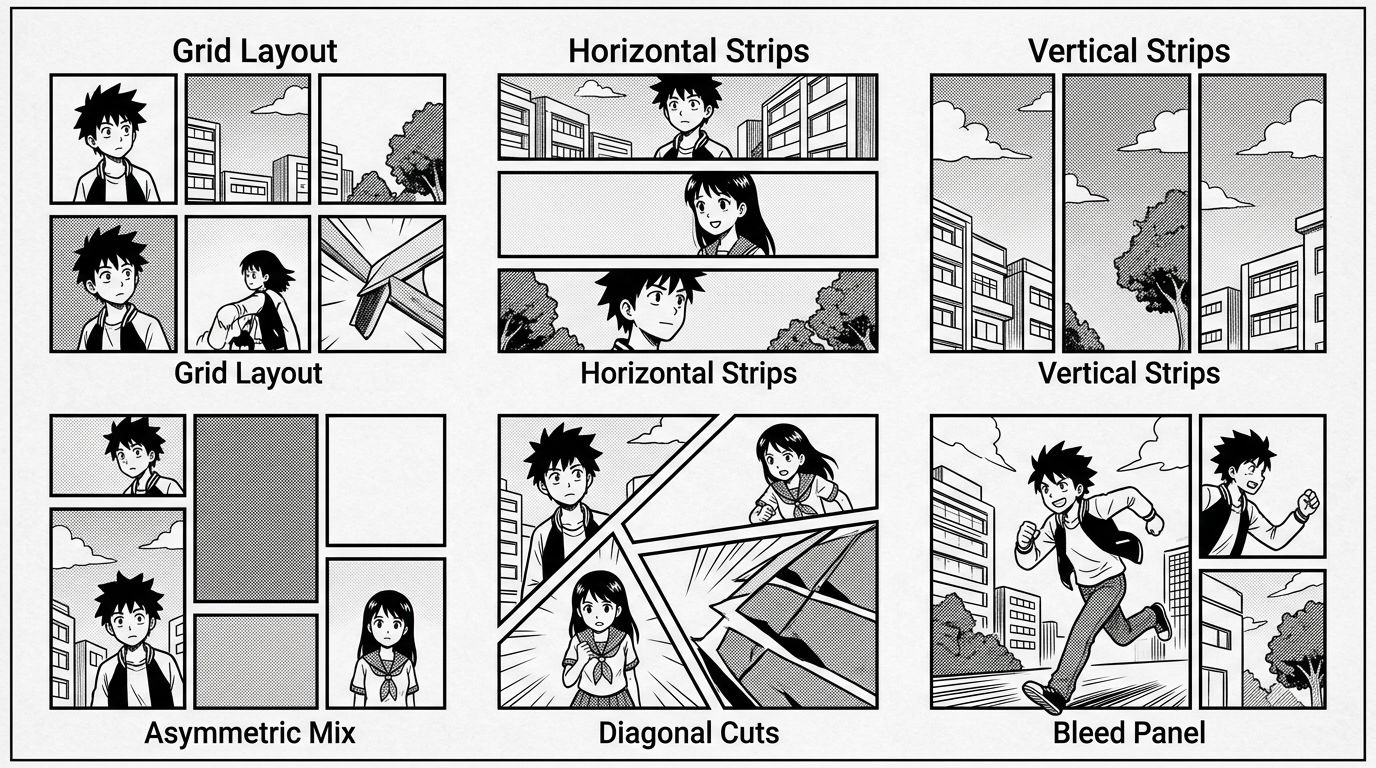
The Six Core Layout Types
Grid (equal rectangles): The default. Calm, steady pacing. Use it for dialogue-heavy scenes or exposition. Too much grid and the page feels like a spreadsheet.
Horizontal strips: Wide panels that emphasize landscape, atmosphere, or a character's emotional state. One wide panel can do more emotional work than three small ones.
Vertical strips: Tall panels suggest height, falling, or a character looming. Classic for reveal shots.
Asymmetric mix: Different-sized panels on the same page. The largest panel gets the most attention. Use size to signal importance.
Diagonal cuts: Slanted panel borders inject energy and tension. Common in fight scenes. Overuse them and the page becomes unreadable noise.
Bleed panels: A panel with no border, running edge to edge. It signals an overwhelming moment—a shock, a vast environment, a climactic beat.
How Manga Reading Flow Works (Right to Left, Top to Bottom)
Manga reading flow runs right to left, top to bottom. Panels are read from the top-right corner of the page, moving left across each row, then dropping to the next row. Gutters guide the eye. When your layout fights this path, readers get lost and the story breaks.
This is the single most common mistake new creators make. They design a layout that looks cool as a visual object but sends the eye in three directions at once.
The Z-Path and the N-Path
In a standard grid, the eye follows a Z-path: right to left across the top row, diagonal drop, right to left across the next row. Keep this in mind when placing speech bubbles. A bubble in the wrong corner can redirect the eye before the reader finishes the panel.
The N-path appears in vertical strip layouts: top to bottom on the right column, then top to bottom on the left. This works well for action sequences where you want the reader to feel a rapid descent.
Gutters Are Not Dead Space
The gutter—the white (or black) gap between panels—is where the reader's brain fills in the missing action. A narrow gutter speeds up time. A wide gutter slows it down. A black gutter signals a hard cut or trauma. Most creators ignore gutter width entirely. Don't.
Speech Bubble Placement and Flow
Bubbles must appear in reading order within the panel. In a two-character exchange, the first speaker's bubble sits top-right, the response sits lower-left. If you flip that, the dialogue reads backwards. This is especially easy to break when you're generating panels with AI tools—always audit bubble placement against the reading path.
Manga Page Composition: Sizing, Weight, and the Entry Panel
Manga page composition is the visual hierarchy of a full page. The entry panel—the first panel a reader sees, top-right—sets the scene. The largest panel carries the emotional peak. Every other panel supports those two anchors. Get this hierarchy wrong and the page loses its center of gravity.
The Entry Panel Rule
The top-right panel is the entry point. It should orient the reader: where are we, what time is it, what's the mood? It doesn't need to be large, but it needs to be clear. A cluttered entry panel makes the reader work before the story even starts.
Panel Size = Emotional Weight
Large panel = important moment. Small panel = quick beat, reaction, transition. A common mistake is giving equal space to every beat. That's like writing every sentence in caps lock. Reserve your large panels for the moments that matter: the reveal, the punch, the confession.
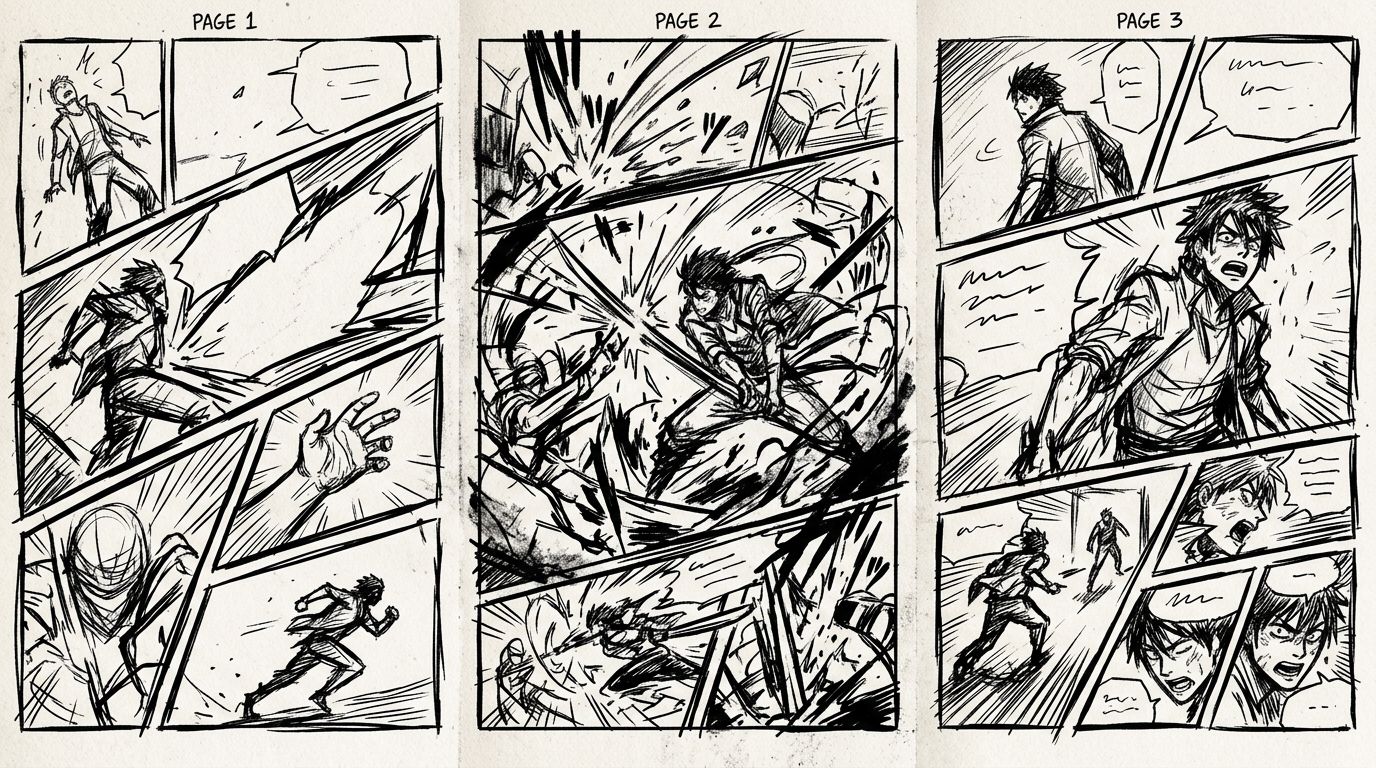
Worked Example: A Three-Page Fight Scene
Here's a concrete panel breakdown for a three-page fight sequence.
Page 1 — Setup (5 panels)
- Panel 1 (top-right, medium): Wide shot. Two fighters face each other in a ruined courtyard. Entry panel establishes location.
- Panel 2 (top-left, small): Close-up on one fighter's eyes. Tension.
- Panel 3 (middle-right, small): Close-up on the other fighter's hand tightening on a weapon.
- Panel 4 (middle-left, small): Feet shifting into stance.
- Panel 5 (bottom, full-width bleed): Both fighters launch forward simultaneously. The bleed signals the fight has started—no more setup.
Page 2 — Action (4 panels, diagonal cuts)
- Panel 1 (large, diagonal): First strike, motion lines, dynamic angle from below.
- Panel 2 (small, diagonal): Block. Impact lines.
- Panel 3 (medium, diagonal): Counter-attack mid-air.
- Panel 4 (small): Reaction shot—a bystander's face.
Page 3 — Resolution (3 panels)
- Panel 1 (full-width horizontal): One fighter on the ground. Silence. Wide gutter above this panel to slow the reader down.
- Panel 2 (medium): The winner standing, back turned.
- Panel 3 (small, bottom-left): A single object on the ground—a symbol of what was lost. No dialogue.
This structure uses panel size, gutter width, bleed, and diagonal cuts as deliberate tools—not decoration.
Dynamic Manga Panels: Angles, Motion Lines, and the Ma Moment
Dynamic manga panels use camera angle, motion lines, and deliberate empty space (called ma) to create energy and rhythm. Low angles make characters imposing. High angles create vulnerability. Motion lines direct the eye and imply speed. Ma—intentional stillness—makes the action around it hit harder.
Camera Angles That Work
- Low angle (worm's eye): Power, threat, dominance. Use for villains, bosses, pivotal reveals.
- High angle (bird's eye): Vulnerability, isolation, overview. Use after a defeat or to show scale.
- Dutch angle (tilted): Unease, instability. Use sparingly or it loses impact.
- Close-up: Emotion. The face is the story.
- Extreme close-up: Intensity. An eye, a scar, a single tear.
Motion Lines
Motion lines (speed lines) radiate from a focal point to create the illusion of movement. Radial lines from the center of the panel pull the eye inward—great for impact moments. Parallel horizontal lines suggest fast lateral movement. Don't add motion lines to every action panel. Reserve them for the beats that need to feel fast.
The Ma Panel
Ma is a Japanese concept: meaningful empty space or pause. In manga, a ma panel might show an empty hallway after a character has left, or a sky panel between two emotional beats. It gives the reader a breath. It makes the next panel land harder. Most Western comics skip ma entirely. That's a missed tool.
What Still Breaks: The Failure Case
Even with solid layout knowledge, one thing consistently fails: panel flow in AI-generated pages when the script doesn't specify layout instructions.
Here's the failure pattern: you feed a scene description into an AI tool without specifying panel count, size hierarchy, or reading order. The tool generates visually appealing individual panels but places them in a grid by default. A climactic moment gets the same panel size as a throwaway reaction shot. The page reads flat.
The fix is scripting discipline. Before generating, write a panel-by-panel breakdown that includes size (small/medium/large/bleed), angle, and what the panel must communicate emotionally. Tools that accept structured scripts—where your chapter text becomes the source of truth for layout decisions—handle this better than tools that work purely from image prompts.
If you're moving from prose to panels, the article Text to Manga: How AI Manga Makers Turn Your Story Into Pages covers exactly how to structure that handoff.
For a broader look at format decisions before you commit to manga specifically, Manga vs Webtoon vs Comic: Formats, Reading Flow, and Which to Choose is worth reading first.
And if you're starting from zero with no drawing background, How to Make Manga Without Drawing Skills (2026 Workflow) walks through the full production pipeline.
FAQ
How many panels should a manga page have?
Most manga pages run 4–8 panels. Fewer panels (1–3) slow pacing and work for emotional peaks. More panels (9+) speed up pacing but risk visual clutter. Five to six panels is a reliable default for a balanced scene.
What is the correct manga reading order for panels?
Manga reads right to left, top to bottom. Start at the top-right panel, move left across the row, then drop to the next row and repeat. Speech bubbles within a panel also follow right-to-left order.
How do diagonal panels affect manga pacing?
Diagonal panel borders create visual tension and imply motion or instability. They speed up perceived pacing because the eye moves at an angle rather than following a clean horizontal path. Use them in action sequences, but limit them to avoid making the page unreadable.
You now have the core framework: layout types, reading flow logic, composition hierarchy, dynamic panel techniques, and the failure case to avoid. Put it into practice on your next page. If you want to test these layout principles without drawing every panel by hand, try building a chapter with TabStory's AI manga generator—it lets you script panel-by-panel, keep your cast consistent across pages, and regenerate individual panels when the composition misses.