If you've ever searched manga vs webtoon vs comic, you've probably hit a wall of vague answers. This guide cuts through that. Each format has a specific reading direction, panel rhythm, and platform home. Knowing the difference between manga and webtoon—and how western comics fit in—shapes every creative decision you make before you draw or script a single panel.
Manga vs Webtoon vs Comic: The Core Differences at a Glance
Manga is a Japanese print comic read right-to-left, published in volumes or serialized chapters. Webtoons are Korean-origin digital comics built for vertical phone scrolling. Western comics are left-to-right page-based publications, print or digital, usually in single issues or graphic novels.
Those three sentences sound simple. The implications for creators are enormous.
Reading Direction Changes Everything
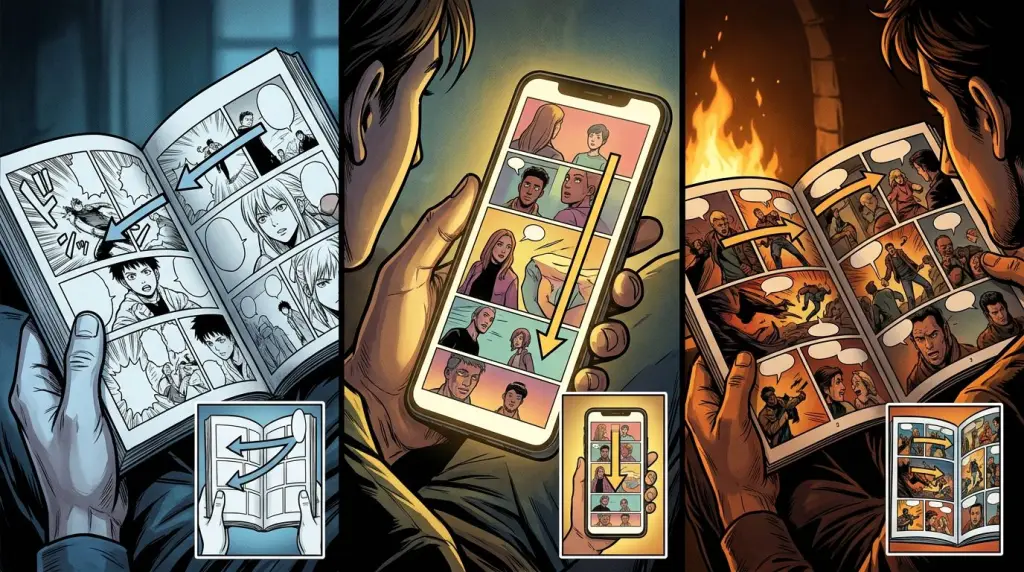
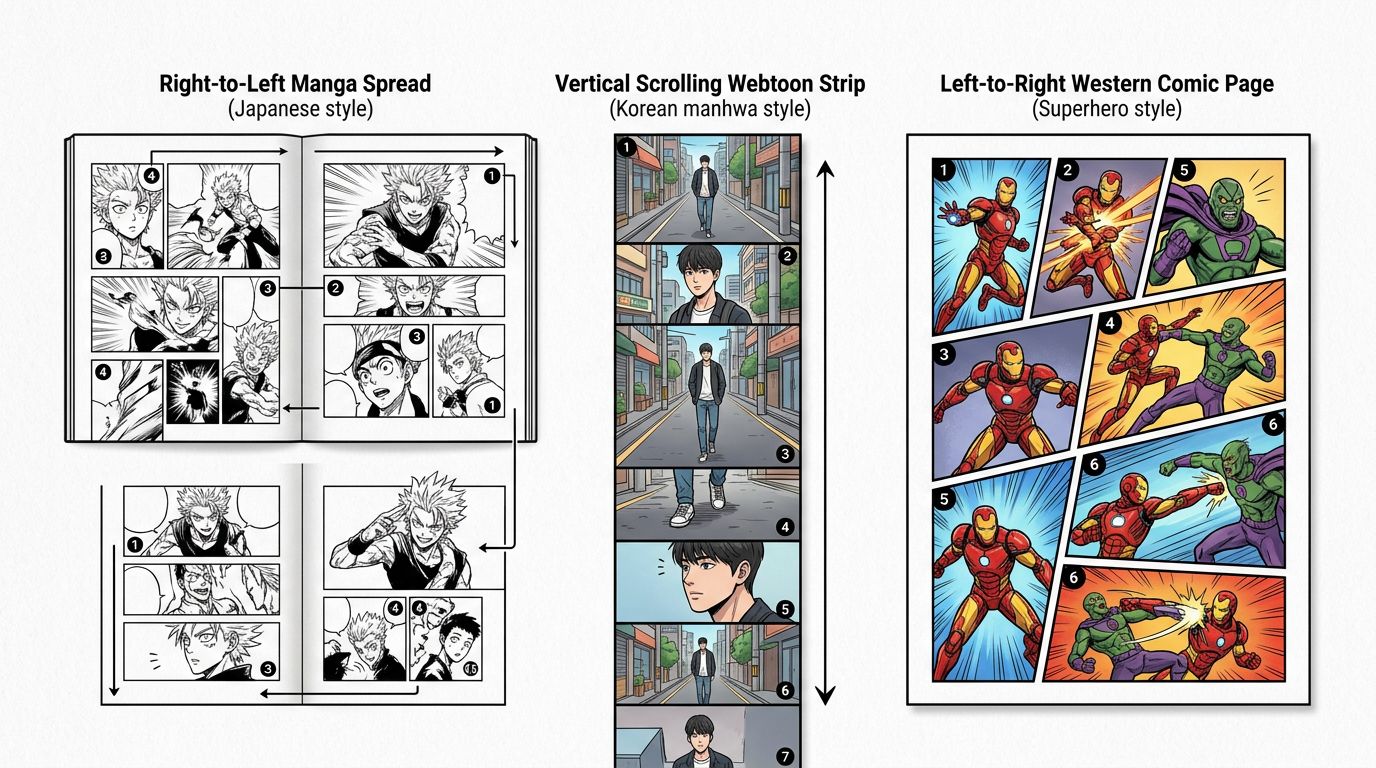
Manga reading order is right-to-left, top-to-bottom. That's not a quirk—it's baked into Japanese writing direction. When you open a manga volume, you start at what Western readers call the back cover. Panels flow right to left across the spread. Speech bubbles follow the same path.
Webtoons flip the axis entirely. You scroll down. There's no left or right page turn. The canvas is a single long vertical strip, broken into sections called episodes. Readers consume it on a phone, usually with one thumb.
Western comics—Marvel, DC, indie graphic novels, newspaper strips—read left-to-right, top-to-bottom. Pages are designed as two-page spreads or single pages meant for print or a tablet in landscape mode.
Manga vs Webtoon: Format Specs That Affect Your Script
Manga pages are typically 180×270mm at 600dpi for print, with 4–8 panels per page arranged in a grid that rewards close reading. Webtoon format is a vertical canvas roughly 800px wide and unlimited in height, with panels stacked for thumb-scroll pacing. These specs directly change how you write dialogue, plan reveals, and time emotional beats.
Panel Count and Pacing
Manga packs density into a page. A single spread can hold eight panels, a full-bleed splash, and a dozen speech bubbles. The reader controls pace by turning pages. A skilled manga-ka uses the page turn as a dramatic tool—hide the reveal on the next page.
Webtoon format uses the scroll as its pacing engine. A creator places a cliffhanger panel just before the reader has to scroll. Long vertical gutters (the white space between panels) create a pause. A full-width panel feels like a cinematic cut. You can't do a two-page spread—there's no second page.
Western comics sit between the two. A single issue is 22–24 pages. Splash pages and two-page spreads are standard. The page turn works the same way as manga for reveals, but left-to-right flow means the bottom-right panel is always the last thing you see before turning.
Art Style Conventions
Manga art style is not a single thing—shonen, shojo, seinen, josei, and isekai all look different. But common traits include high-contrast black-and-white linework, speed lines, expressive eyes, and minimal background detail in action sequences.
Webtoons are almost always full color. Korean manhwa (the print ancestor of webtoons) influenced the style: clean lines, soft shading, and character designs that read clearly at small phone screen sizes. Backgrounds are often detailed in establishing shots, then simplified in dialogue panels.
Western comics range from Jack Kirby's bold geometry to Bill Sienkiewicz's painted textures. Color is standard in mainstream publishing. Indie comics often go black-and-white or use limited palettes.
Comic Formats Explained: Which One Fits Your Story?
Choose your format based on where readers will consume it and what emotional rhythm your story needs. Manga suits dense, chapter-based stories read in one sitting. Webtoon format is ideal for serialized phone-first stories with fast reveals. Western comics work best for standalone arcs or superhero-style ensemble casts.
Worked Example: The Same Scene in Three Formats
Scene: A detective realizes her partner is the killer.
Manga version. Page 1 ends with a medium shot of the detective's face, neutral expression. You turn the page. Page 2 opens with a full-bleed close-up of her eyes, pupils contracted, sweat on her brow. The page turn is the realization. Six panels follow showing fragmented memories. The chapter ends on a black page with one line of dialogue.
Webtoon version. The episode scrolls through a dialogue exchange. A long vertical gutter—pure white space—forces the reader to pause before scrolling into a wide horizontal panel: the partner's face, lit from below. The reveal lands mid-scroll. The episode ends with a close-up of the detective's hand dropping her phone. Readers hit a paywall or wait a week for the next episode.
Western comic version. A two-page spread shows the detective's memory montage in eight irregular panels. The bottom-right panel of the right page—the last panel before the turn—shows the partner's shadow. Turn the page: full splash of the confrontation. The issue ends on a cliffhanger caption box.
Same story beat. Three completely different craft tools.
Failure Case: Porting Manga Layouts to Webtoon
This breaks constantly. A creator writes a manga script—eight panels per page, right-to-left flow, dramatic page-turn reveal—then tries to publish it as a webtoon by rotating the panels into a vertical strip. The pacing collapses. The page-turn reveal becomes a mid-scroll non-event. Dialogue bubbles that read naturally right-to-left become confusing when stacked vertically. The art was designed for a 180mm-wide page; at 800px wide on a phone, detail gets lost.
The fix isn't cosmetic. You have to re-script for the scroll. That means rewriting beat placement, redrawing panel sizes, and rethinking where gutters go.
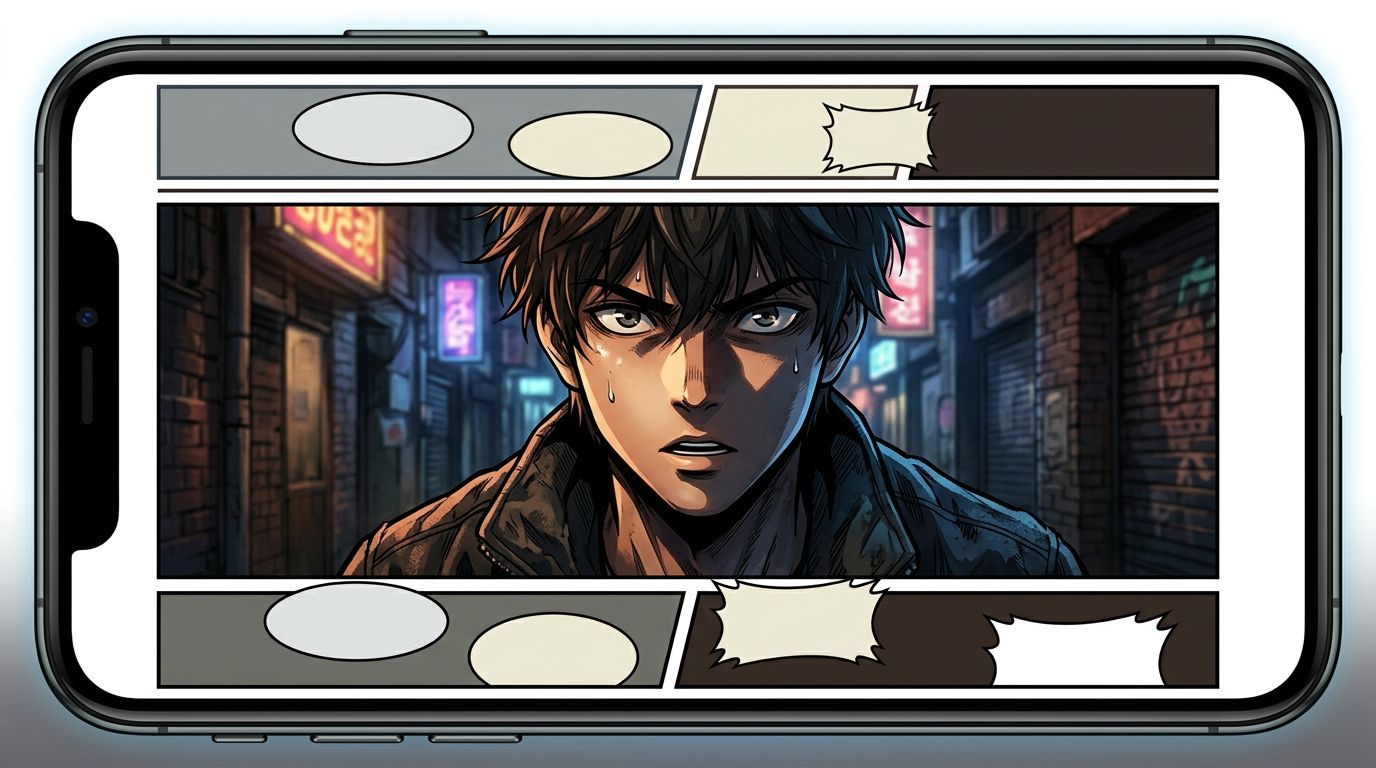
Manga Reading Order and Why It Matters for Digital Publishing
Manga reading order—right-to-left, back-to-front—is a hard requirement for authentic manga publishing. Digital platforms like Manga Plus, Shonen Jump app, and Azuki preserve this. If you publish manga on a webtoon platform like LINE Webtoon or Tapas, you either convert the layout or lose the reading experience entirely.
This is a practical problem for AI comic creators. If you generate manga-style art but publish it in a left-to-right webtoon strip, you've created a format mismatch. Readers notice. Speech bubbles feel wrong. Action sequences lose their flow.
If your target platform is Webtoon, build vertical from the start. If it's a manga platform or print-on-demand, build right-to-left pages from the start. Switching formats after generation means rework at every level.
Using AI Tools Across Manga, Webtoon, and Comic Formats
AI comic generators handle these formats differently. Most generate single images or panels—you assemble the layout yourself. A few, like TabStory, are built around the format from the start.
TabStory's AI manga generator lets you lock a character cast once and reuse those characters across every panel in a chapter. You paste in a scene from your story, assign characters, and the tool generates panels that maintain visual consistency. If one panel is off, you regenerate that panel only—the rest of the chapter stays intact. That's a workflow built around the chapter as the unit of work, not the single image.
For webtoon-specific output, the AI webtoon generator builds the vertical strip format directly. For prose writers adapting a novel, novel to comic handles the text-to-panel conversion.
If you're starting from a written story and want to understand the full process, How to Make Manga Without Drawing Skills (2026 Workflow) walks through every step. For a broader look at AI tools in this space, Best AI Manga Generators in 2026: Which One Fits Your Story? compares the current options honestly.
Character consistency is the hardest problem in AI comic generation across all three formats. A character who looks different in panel 3 than panel 1 breaks reader immersion immediately. Tools that treat each panel as an isolated generation—without a locked character reference—fail here. This is still an unsolved problem in most single-image generators. Workflow-based tools that carry a character definition through an entire chapter handle it better, but even they can drift across long chapters or when lighting changes dramatically.
Quick Reference: Manga vs Webtoon vs Comic Format Specs
| Feature | Manga | Webtoon | Western Comic |
|---|---|---|---|
| Reading direction | Right-to-left | Top-to-bottom scroll | Left-to-right |
| Orientation | Horizontal pages | Vertical strip | Horizontal pages |
| Color | Usually B&W | Full color | Full color |
| Primary platform | Print volumes, Manga Plus | LINE Webtoon, Tapas | Print issues, ComiXology |
| Panel density | High (4–8/page) | Medium (varies by scroll) | Medium (4–6/page) |
| Pacing tool | Page turn | Scroll gutter | Page turn |
| Origin | Japan | South Korea | USA/Europe |
FAQ
What is the main difference between manga and webtoon?
Manga is a Japanese print comic read right-to-left, usually in black and white, published in volumes. A webtoon is a Korean-origin digital comic built for vertical phone scrolling, almost always in full color. The reading direction, canvas orientation, and pacing tools are completely different.
What is manga reading order and why does it matter?
Manga reading order is right-to-left, top-to-bottom, starting from what Western readers see as the back of the book. It follows Japanese writing direction. It matters because page-turn reveals, dialogue flow, and action sequences are all designed around this direction. Publishing manga in left-to-right format breaks the intended reading experience.
Can I publish the same comic as both manga and webtoon?
Not without reworking the layout. Manga pages are designed for a horizontal page turn with right-to-left flow. Webtoons are designed for vertical scroll with top-to-bottom pacing. Converting one to the other requires rescripting panel order, resizing art, and repositioning speech bubbles. A surface-level rotation doesn't work.