How to Turn a Novel Into a Webtoon: The Complete Adaptation Guide
You have a finished novel. The world is rich, the characters are deep, and the plot is tight. But in today's digital landscape, prose is only one way to tell a story. Learning how to turn a novel into a webtoon is the most effective way to reach a younger, mobile-first audience that craves visual storytelling. This transition requires more than just adding pictures to your text. It demands a total shift in how you pace your narrative and present your world.
Why Adapt a Novel to a Webtoon?
To turn a novel into a webtoon, you must condense prose into visual scripts, design consistent character sheets, and choose a production method like manual drawing or AI generation. This process transforms internal monologues into dynamic dialogue and action, making your story accessible to a visual-first audience.
Webtoons are a global phenomenon. Platforms like WEBTOON and Tapas have millions of daily active users looking for their next obsession. Many of the most popular titles on these platforms began as web novels. When you adapt your book, you aren't just recycling content. You are creating a new entry point for fans.
Visual stories often have a higher viral potential on social media. A single striking panel can go further on Instagram or TikTok than a paragraph of text. Additionally, the vertical scroll format is perfectly optimized for smartphones. This makes your story readable during commutes, breaks, and late-night scrolling sessions.
How to Turn a Novel Into a Webtoon: The Scripting Phase
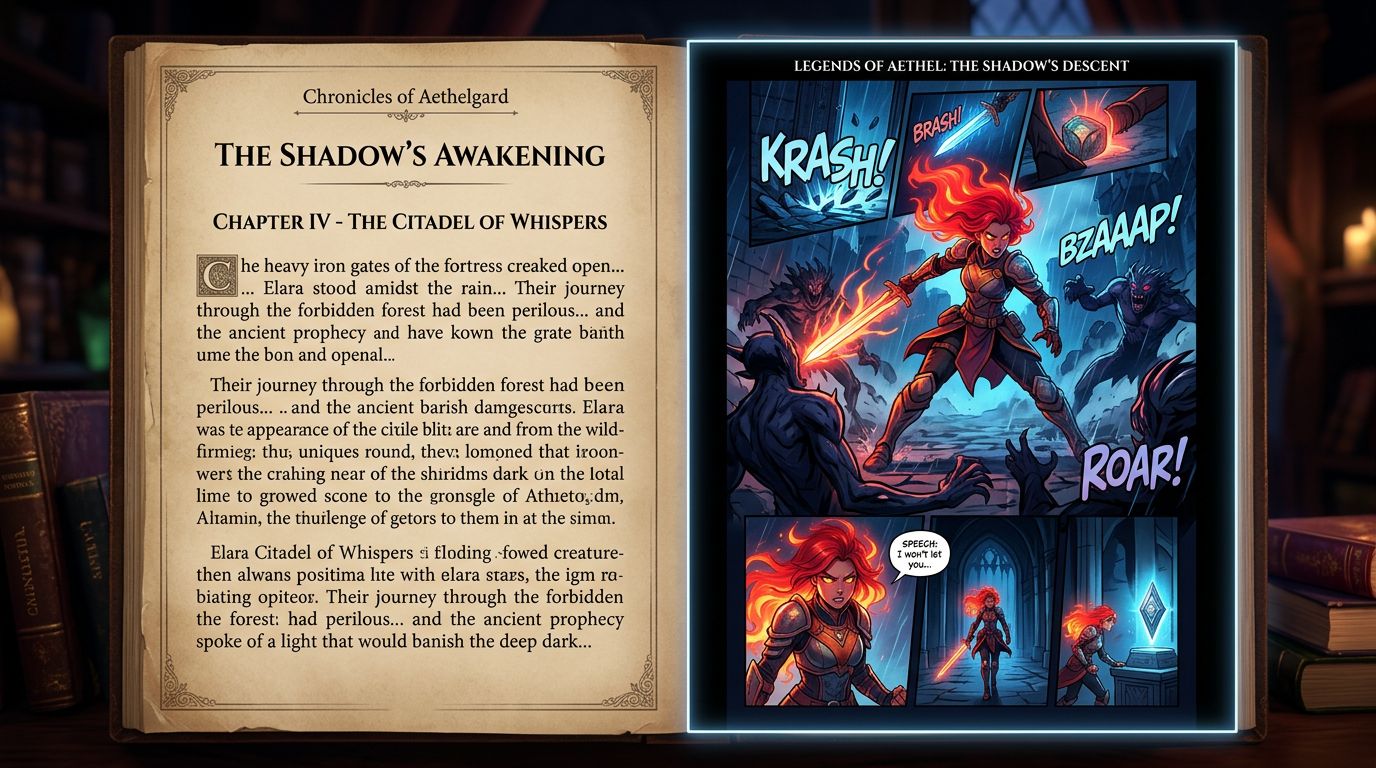
The scripting phase of a novel to webtoon adaptation involves breaking chapters into episodes with roughly 40 to 60 panels each. You must strip away long descriptions and replace them with visual cues, focusing on show, don't tell to maintain the fast-paced vertical scrolling experience readers expect.
Prose and comics use different languages. In a novel, you might spend three paragraphs describing a character's grief. In a webtoon, you show a single panel of a trembling hand or a tear hitting a floorboard.
Start by identifying the "beats" of your story. A standard webtoon episode is much shorter than a novel chapter. You will likely need to split one chapter into three or four episodes. Each episode needs a hook at the beginning and a cliffhanger at the end.
Focus on dialogue. Keep speech bubbles short. If a bubble has more than 20 words, it is probably too long. Let the art do the heavy lifting for the setting and mood. If you find yourself writing long narration boxes, ask yourself: "Can I show this through an action instead?"
Visualizing Your Characters and World
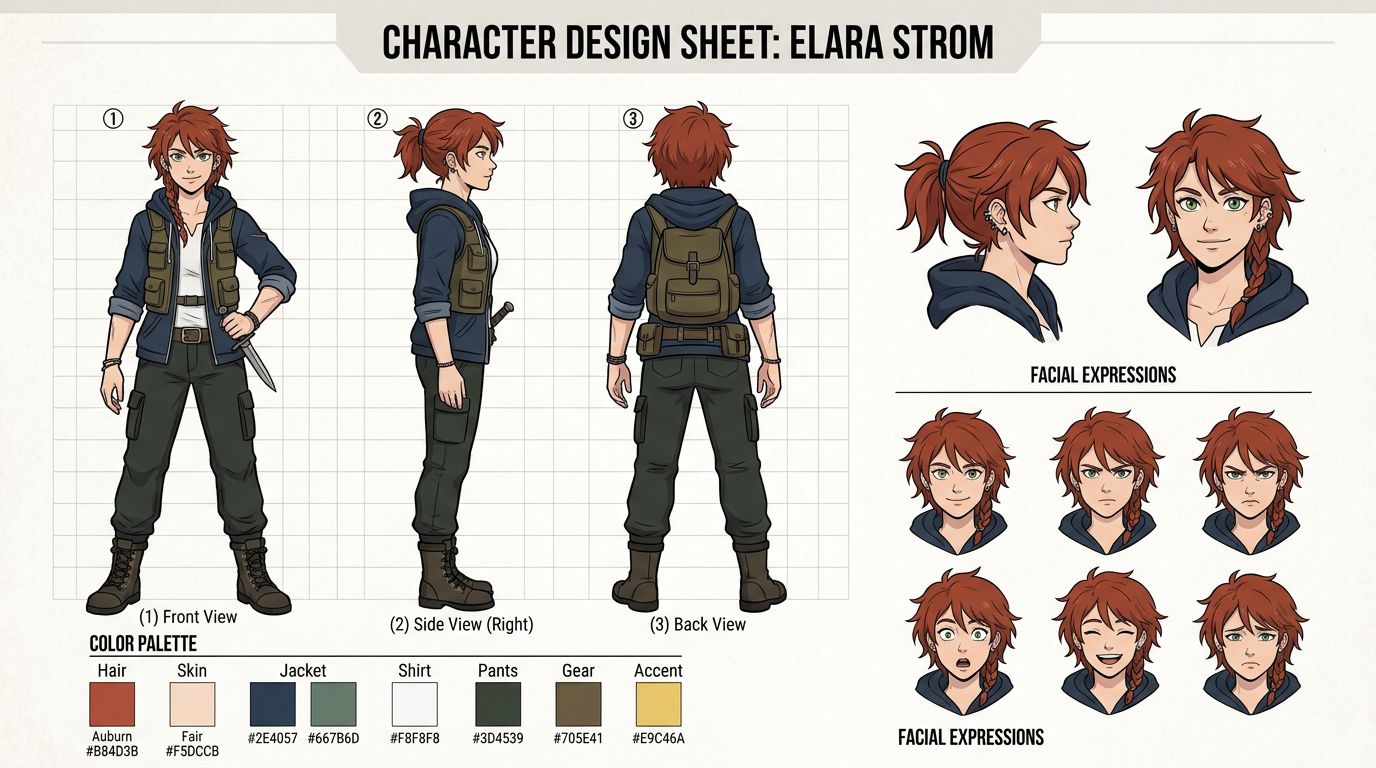
When you adapt a book into a comic, you need a visual Bible. This includes character turnarounds, color palettes, and environment sketches. Consistency is vital because readers recognize characters by their silhouettes and hair rather than the descriptive prose found in your original novel or short story.
In a novel, the reader's imagination fills in the gaps. In a webtoon, you must make concrete decisions. What does the protagonist's bedroom look like? What specific shade of blue is the magic system?
Create character sheets for every major player. These sheets should show the character from the front, side, and back. Include a range of facial expressions. If you are using a novel to webtoon converter, these visual references will help the system maintain consistency across hundreds of panels.
Don't forget the background art. Webtoons often use 3D assets for buildings and interiors to save time. Decide on the aesthetic early—is it gritty and realistic, or bright and stylized? Consistency in your art style is just as important as consistency in your writing tone.
Choosing Your Tools for Novel to Webtoon Adaptation
Choosing the right tools for a story to webtoon project depends on your budget and skill level. Professional artists use Clip Studio Paint for manual work, while writers often use a novel to webtoon converter or AI tools to handle the heavy lifting of panel generation and character consistency.
| Tool Type | Example | Best For | Pros | Cons |
|---|---|---|---|---|
| Manual Software | Clip Studio Paint | Professional Artists | Total control, industry standard | High learning curve, very slow |
| Outsourcing | Freelance Studios | High-Budget Authors | Hands-off, professional quality | Extremely expensive ($10k+) |
| AI Generator | TabStory | Solo Creators / Writers | Character consistency, story-first | Less control over every pixel |
| General AI | Midjourney | Concept Art | High artistic quality | Hard to keep characters same |
If you are a writer without drawing skills, you have three main paths. You can spend years learning to draw, spend thousands of dollars hiring an artist, or use an AI comic generator. For most indie authors, the AI path offers the best balance of speed and quality. It allows you to act as the director rather than the illustrator.
How to Turn a Novel Into a Webtoon Using AI
To turn a novel into a webtoon using AI, upload your manuscript to a specialized platform that understands narrative structure. These tools analyze your text, suggest panel layouts, and generate consistent characters, allowing you to focus on creative direction rather than learning complex digital illustration techniques from scratch.
AI has moved past simple image generation. Modern tools like TabStory are designed for sequential storytelling. The workflow usually follows these steps:
- Input the Text: You feed the AI your novel or a simplified script.
- Character Training: You define your characters so the AI remembers their features in every panel.
- Panel Generation: The AI suggests layouts based on the action in your text.
- Refinement: You tweak the poses, expressions, and backgrounds to match your vision.
This text to comic workflow cuts production time by 80%. Instead of spending a week on one episode, you can produce a high-quality update in a single afternoon. This speed is crucial for the webtoon market, where frequent updates are the key to staying relevant in the algorithm.
Formatting and Publishing Your Webtoon
Formatting your webtoon requires setting your canvas to 800px width with a variable height, usually around 1280px per slice. You must ensure text is legible on mobile screens and that the gutter space between panels guides the reader's eye naturally down the vertical scroll of the page.
Once your art is ready, you need to prepare it for the platforms. WEBTOON and Tapas have specific file size limits. Most creators work on a very long vertical strip and then use a "cropper" tool to slice it into smaller JPG files.
Pay attention to the "flow." The white space between panels (the gutters) acts as a timing mechanism. Large gutters indicate a pause or a slow moment. Tight panels indicate fast action.
When you publish, don't just dump ten episodes at once. Release three episodes on launch day to give readers enough content to get hooked, then move to a weekly or bi-weekly schedule. Consistency in your posting schedule is the only way to build a loyal fanbase.
FAQ
How much does it cost to adapt a novel into a webtoon?
If you hire a professional artist, expect to pay $100 to $300 per episode. For a full season, this can exceed $10,000. Using AI tools or doing the art yourself can reduce this cost to almost zero, minus the subscription fees for your software.
Do I need to own the rights to my novel?
Yes. You must ensure you haven't signed away the "derivative works" or "comic adaptation" rights to a publisher. If you are self-published, you typically own all rights and can proceed immediately.
Can I use AI-generated art on WEBTOON?
As of 2026, most platforms allow AI-assisted art as long as you disclose it and own the underlying story. Always check the latest Terms of Service for the specific platform you choose, as policies evolve.
Ready to see your characters come to life? Start your adaptation today with our novel to webtoon converter and turn your prose into a visual sensation.