Picking the best AI manga generator in 2026 is harder than it looks. There are more tools than ever, but most reviews only test single-image output. If you're building a multi-chapter manga series with a locked cast, that benchmark misses the point entirely. This guide focuses on what actually matters for story-driven creators: character consistency across chapters, workflow depth, and how well each tool handles real narrative input.
What Makes an AI Manga Generator Worth Using in 2026?
The best AI manga generators in 2026 do three things well: they keep your characters consistent across panels, they accept story or script input rather than just prompts, and they let you fix one panel without regenerating the whole page. Single-image tools are fine for illustrations, but manga is sequential storytelling.
Most manga creation software today falls into one of two camps:
- Image-first tools — You prompt, you get art. Great for covers and one-offs. Weak for chapter-length work.
- Story-first tools — You paste a scene or chapter, the tool breaks it into panels, assigns characters, and renders the sequence.
If you're adapting a Wattpad novel, a light novel, or an original script into manga format, you need the second type. If you just want a cool panel for a social post, the first type works fine.
The sections below break down both categories with honest notes on where each tool wins and where it falls short.
Best AI Manga Generators Compared: The 2026 Shortlist
These seven tools represent the realistic options for manga creators in 2026. Each has a distinct strength. None does everything perfectly. The right pick depends on whether you prioritize art quality, story input, character locking, or publishing workflow.
| Tool | Best For | Character Consistency | Story/Script Input | Panel-Level Regeneration | Price Tier |
|---|---|---|---|---|---|
| TabStory | Story-to-manga, long-form series | Locked cast per project | Yes — paste chapter or scene | Yes — regenerate one panel | Free tier + paid |
| Midjourney | High-quality single panels | Manual (reference images) | No native support | No | Subscription |
| Canva | Quick social-ready manga cards | Low | No | No | Free tier + paid |
| Dashtoon | Webtoon-style vertical strips | Moderate (character builder) | Partial | Limited | Free tier + paid |
| LlamaGen | Rapid prototyping, style variety | Low | No | No | Free tier |
| GenToon | Webtoon panels, mobile-first | Moderate | Partial | No | Free tier + paid |
| MangaFlow | Manga-style art generation | Low-moderate | No | No | Subscription |
For deeper dives on specific alternatives, check the Midjourney, Dashtoon, and Canva comparison pages.
TabStory: The Story-First Approach to AI Manga
TabStory treats your chapter as the source of truth. You paste a scene, define your cast once, and the tool maps dialogue, action beats, and characters to panels automatically. The locked cast means your protagonist looks the same in chapter 1 and chapter 20 without manual re-prompting.
Here's what that workflow looks like in practice.
Worked Example: Adapting a Light Novel Scene
Say you have this passage from chapter 3 of your fantasy light novel:
Kira stepped into the ruined courtyard. Rain hit the cracked stone. Across the rubble, Daemon stood with his sword already drawn. "You came alone," he said. "Brave. Or stupid."
In TabStory, you paste that paragraph into the scene input. The tool identifies two characters (Kira, Daemon), one location (ruined courtyard), and three beats: arrival, confrontation, dialogue. It generates a panel sequence — establishing shot, medium two-shot, close-up on Daemon's face for the line.
Because Kira and Daemon are already defined in your locked cast (hair color, build, costume details), they render consistently with how they appeared in chapter 1. You don't re-describe them. You just write the scene.
If the rain effect in panel one looks off, you regenerate that panel alone. The rest of the page stays untouched.
This is the core difference between TabStory's AI manga generator and image-first tools. You're writing manga, not prompting individual images.
If you're starting from scratch on the drawing-free workflow, How to Make Manga Without Drawing Skills (2026 Workflow) covers the full process step by step.
Midjourney for Manga: Stunning Art, Manual Everything Else
Midjourney produces some of the best-looking manga-style art available from any AI tool. The catch: it has no story layer, no character memory, and no panel sequencing. Every panel is a standalone prompt. Consistency across a chapter requires significant manual work with reference images and style seeds.
For a single cover illustration or a portfolio piece, Midjourney is hard to beat on raw art quality. For a 20-panel chapter with recurring characters, the workflow becomes a full-time job.
Typical Midjourney manga workflow for a chapter:
- Generate a character reference sheet.
- Use
--cref(character reference) on every panel prompt. - Manually write all dialogue and add speech bubbles in a separate tool.
- Assemble panels in Canva or Photoshop.
- Repeat for every page.
That's viable if you have time and enjoy the craft. It's not viable if you're publishing weekly chapters.
Canva and Dashtoon: Good Starting Points, Clear Ceilings
Canva's manga tools are accessible and fast for social content, but they're template-driven. You're customizing pre-built layouts, not generating original panels from story input. Dashtoon goes further with a character builder and vertical strip format, but its story input is still partial — you describe scenes manually rather than pasting prose.
Canva works well for:
- Manga-style social media posts
- Simple 4-panel gag strips
- Creators who already have art and need layout tools
Dashtoon works well for:
- Webtoon-format vertical scrollers
- Creators comfortable with manual panel-by-panel setup
- Mobile-first publishing
Neither handles the "paste your chapter and get a page" workflow that story-driven creators need.
LlamaGen and GenToon: Fast Prototyping, Limited Depth
LlamaGen and GenToon are solid for rapid visual prototyping — testing art styles, generating mood boards, or producing quick concept panels. Both lack robust character locking and neither accepts chapter-length story input. Use them early in your creative process, not for final chapter production.
LlamaGen's strength is style variety. You can cycle through dozens of manga aesthetics quickly, which makes it useful for finding your series' visual identity before committing to a full production workflow.
GenToon leans into the webtoon vertical format and has a mobile-friendly interface. It's a reasonable entry point for new creators, but you'll hit its ceiling fast once you're building a series with recurring characters.
Best AI Manga Generator for Long-Form Stories: Key Criteria
For long-form manga series, the most important criteria are: locked character definitions that persist across chapters, story or script input that drives panel generation, and the ability to regenerate individual panels without disrupting the rest of the page. Art style matters, but consistency matters more.
Here's a quick decision framework:
Choose TabStory if:
- You're adapting a novel, Wattpad story, or original script
- You need the same characters to look consistent across 10+ chapters
- You want to paste scenes and get panel sequences, not prompt individual images
- You're publishing regularly and need a repeatable workflow
Choose Midjourney if:
- You prioritize maximum art quality over workflow speed
- You're making a short series or standalone piece
- You have time to manage character references manually
Choose Canva if:
- You need manga-style social content fast
- You're not building a serialized story
Choose Dashtoon if:
- You want a webtoon vertical format with a built-in character builder
- You're comfortable with manual scene setup
If you're coming from a novel or long-form text, the novel to comic workflow is worth looking at specifically — it handles the adaptation layer that most manga tools skip entirely.
For a broader look at AI comic tools beyond manga specifically, Best AI Comic Generators in 2026: Tested and Ranked covers the full landscape.
What Still Breaks: The Honest Failure Case
No AI manga art tool in 2026 handles complex crowd scenes or multi-character action sequences reliably. When three or more characters interact physically — a fight scene, a group confrontation — most tools either merge character features, drop costume details, or produce anatomically inconsistent results. This is the current hard limit of the technology.
Here's a specific failure case from testing:
Scene input: Kira, Daemon, and Rei stand in a triangle formation, each facing a different direction, weapons drawn.
What most tools produce: Two characters render correctly. The third either inherits features from one of the others, loses a costume detail, or appears in a slightly different art style. The triangular composition rarely holds.
Workarounds that help:
- Break the scene into separate panels (Kira's POV, Daemon's POV, wide shot)
- Use the wide shot as an establishing panel with less detail
- Regenerate the problematic panel 2-3 times and pick the best result
This isn't a TabStory-specific issue. It affects every tool on this list. The single-character and two-character panel quality has improved dramatically in 2026. Three-plus characters in dynamic interaction is still the edge case that breaks things.
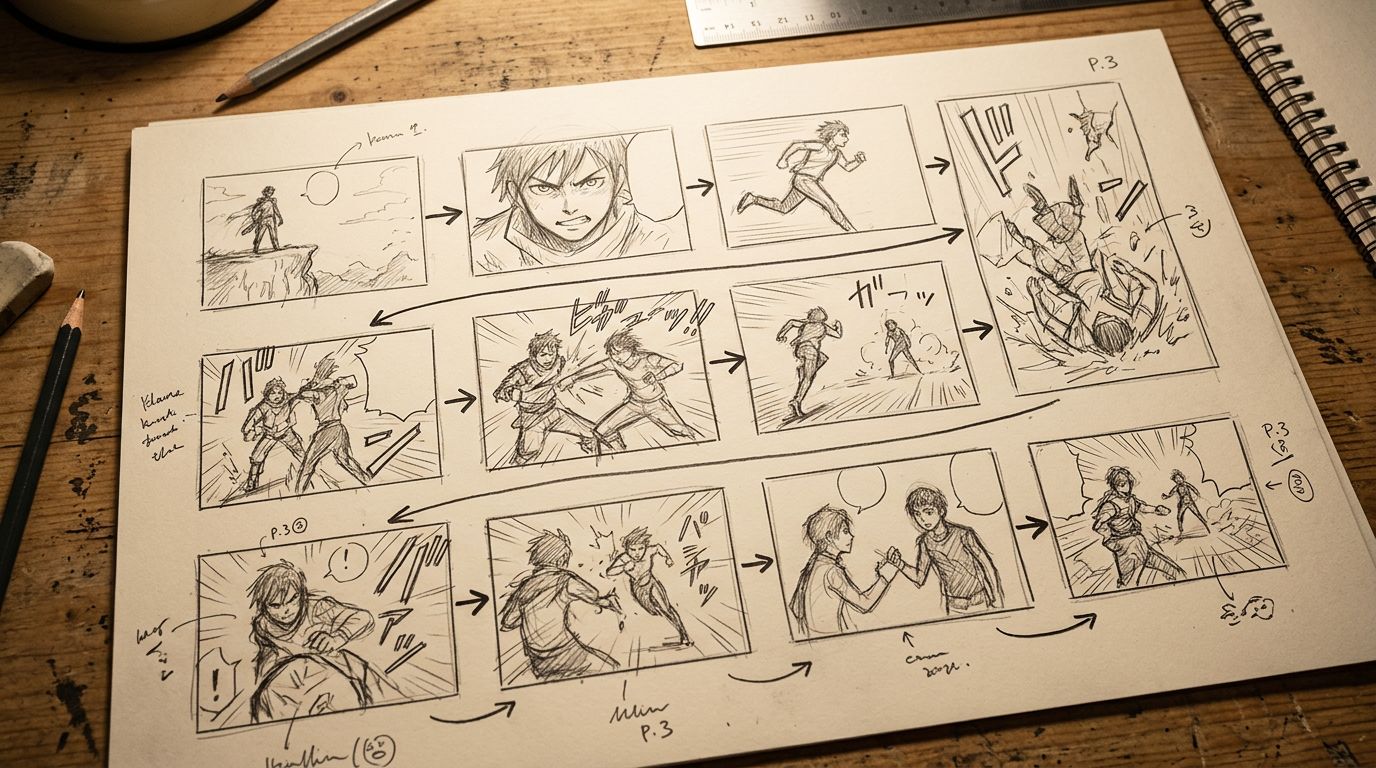
Manga Creation Software vs. AI Manga Art Tools: Know the Difference
Manga creation software handles the full pipeline: script, panel layout, character rendering, and export. AI manga art tools handle only the image generation step. Knowing which category a tool belongs to tells you immediately whether it fits a serialized story workflow or a single-image use case.
This distinction matters when you're reading reviews. A tool that scores 9/10 on "art quality" might score 3/10 on "workflow for a 12-chapter series." Those are different products solving different problems.
For creators building a webtoon or manga series with weekly or bi-weekly chapters, the full-pipeline tools are the only realistic option. The image-only tools require too much manual assembly to sustain a publishing schedule.
If webtoon format is your target, the AI webtoon generator workflow handles vertical scrolling format specifically, which has different panel pacing than traditional manga.
Also worth reading: How to Turn a Novel Into a Webtoon: The Complete Adaptation Guide — especially if your source material is prose rather than a script.
FAQ
What is the best AI manga generator in 2026 for beginners?
For beginners who want to create manga from a story or script without drawing skills, TabStory is the most accessible full-pipeline option. Canva is easier for simple social content but lacks story input. Dashtoon sits in the middle — more manga-specific than Canva but less automated than TabStory for prose adaptation.
Can AI manga generators keep characters consistent across chapters?
Most image-first tools like Midjourney require manual character reference management, which gets time-consuming across long series. Tools with a locked cast system — where you define a character once and the system applies that definition to every panel — handle consistency more reliably for serialized work.
Is there a free AI manga generator worth using?
Yes. TabStory, Canva, LlamaGen, and GenToon all have free tiers. Free tiers typically limit export resolution, monthly panel count, or access to advanced style options. For testing a workflow before committing, the free tiers are genuinely useful.
How do I turn a novel or Wattpad story into manga using AI?
Paste your chapter or scene into a story-input tool like TabStory. The tool segments the text into panel beats, assigns characters from your locked cast, and generates the panel sequence. You review, regenerate any weak panels, add dialogue, and export. The full process is covered in How to Make a Comic with AI in 2026 (Step-by-Step Guide).
What do AI manga art tools still get wrong in 2026?
The biggest consistent failure is multi-character action scenes. When three or more characters interact physically in the same panel, most tools struggle with consistent character features, costume details, and spatial composition. Single and two-character panels have improved significantly. Complex group scenes remain the current technical ceiling.
Start Making Manga From Your Story
You don't need to pick the "best" tool in the abstract. You need the one that fits your specific workflow. If you're writing chapters and want them rendered into manga panels with a consistent cast, try the TabStory AI manga generator — paste a scene, lock your characters, and see how your story looks as a panel sequence before committing to a full chapter.