A character design sheet is the single document that keeps your character looking like themselves across every panel, chapter, and collaborator. Without one, your hero's eyes shift color, their jacket changes cut, and readers notice. With one—especially one built with AI—you lock the look once and reference it forever.
This guide covers exactly what belongs on a character design sheet, how to structure a character turnaround, and where AI tools slot into the workflow to save you real time.
What Is a Character Design Sheet?
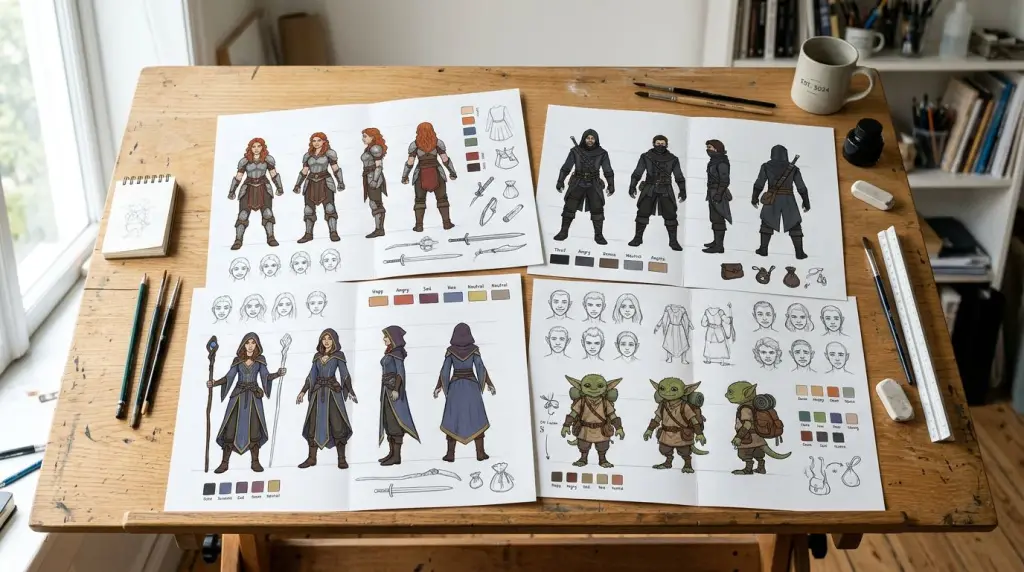
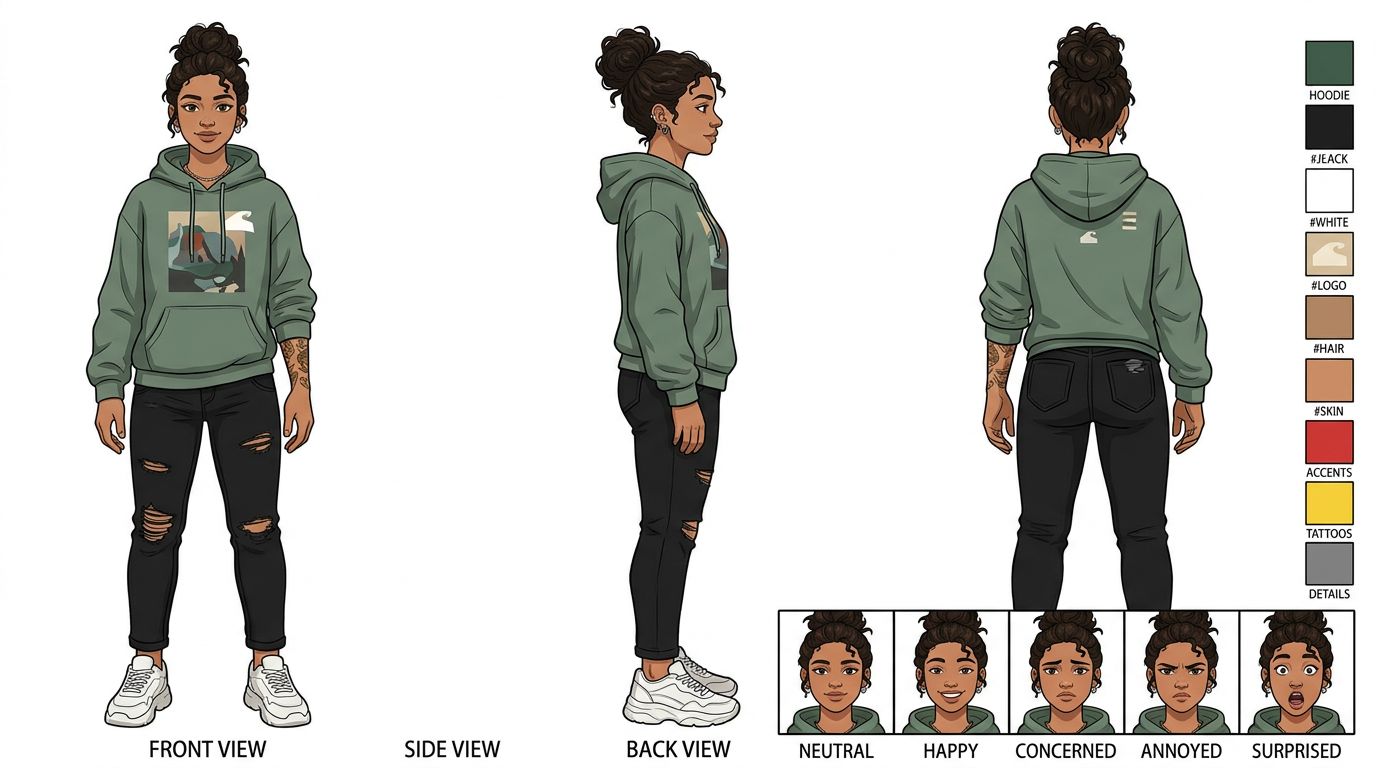
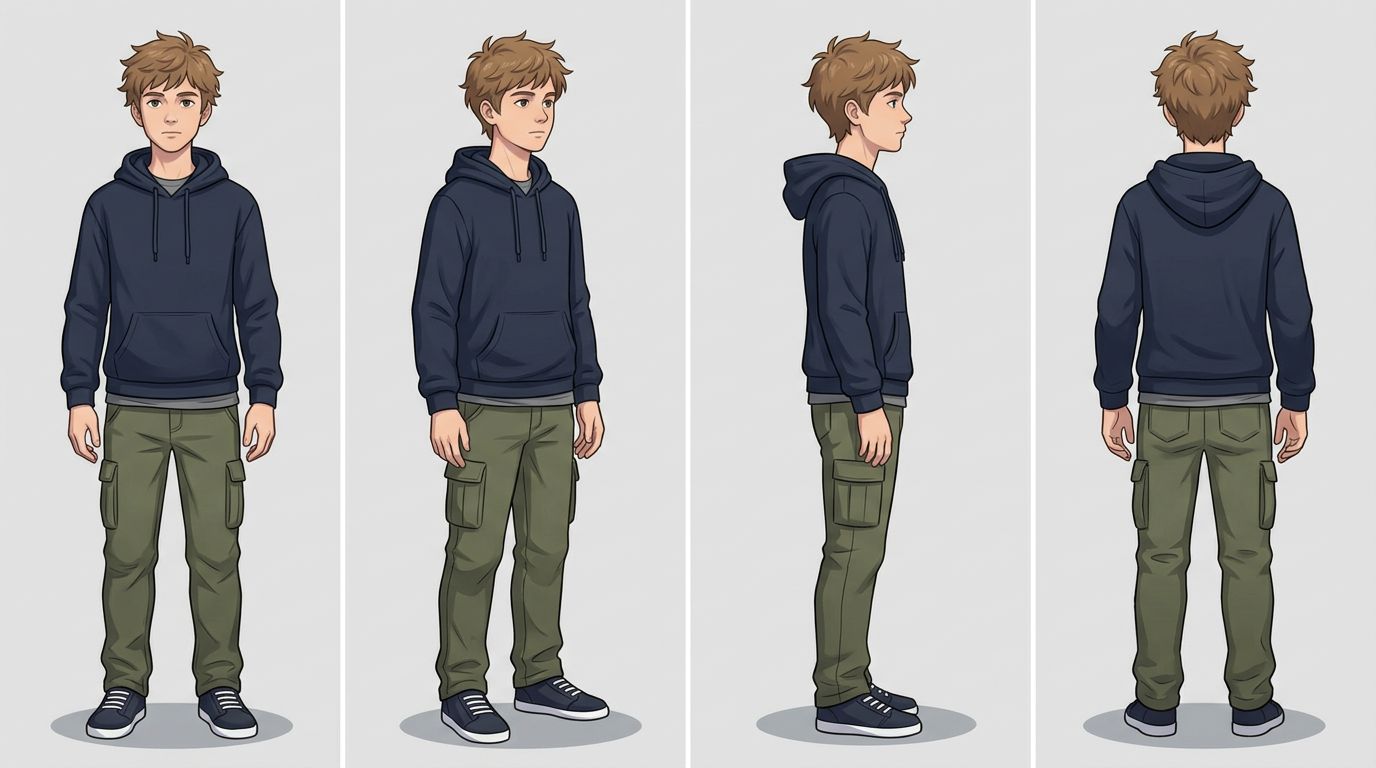
A character design sheet (also called a character model sheet or character reference sheet) is a single-page document showing a character from multiple angles with annotated colors, proportions, and key details. It acts as the visual contract every artist or AI model follows when drawing that character.
Professional animation studios have used model sheets since the 1930s. The goal hasn't changed: eliminate guesswork. When you hand a sheet to a new artist—or feed it into an AI pipeline—the character comes out consistent every time.
A complete sheet typically contains:
- Front, side, and back views (the classic character turnaround)
- Three-quarter view for dynamic scenes
- Height reference against a neutral grid or a second character
- Color palette with exact hex or Pantone codes
- Material callouts — fabric texture, metal sheen, skin tone label
- Expression chart — at least 6 core emotions
- Signature props or accessories shown in isolation
- Do/don't notes — common mistakes to avoid (e.g., "collar always asymmetric")
How to Make a Character Sheet Step by Step
To make a character design sheet, start with a front-view base drawing, add side and back views at the same scale, lock your color palette, then build an expression chart. The whole process takes 4–8 hours by hand or under 20 minutes with an AI character generator.
Here's the practical sequence:
Step 1 — Write the Character Bible Entry First
Before you draw anything, write two paragraphs: physical description and personality. Include age range, body type, dominant colors, and one or two visual quirks (a scar, a specific hairstyle, mismatched socks). This text becomes your prompt source.
Step 2 — Generate or Sketch the Front View
The front view is your anchor. Every other angle derives from it. If you're drawing by hand, use a light construction grid. If you're using AI, generate the front view first and lock it before requesting other angles.
Step 3 — Build the Character Turnaround
A character turnaround is the sequence of views—front, three-quarter, side, back—drawn at identical scale. The turnaround is what separates a concept sketch from a production-ready character reference sheet. Animators and comic artists use it to maintain consistent proportions when the character rotates in space.
Key rules for a clean turnaround:
- Keep the eye line at the same height across all views
- Show the silhouette clearly in each angle
- Mark the center line on the front and back views
Step 4 — Lock the Color Palette
Pick 3–5 dominant colors and 1–2 accent colors. Write the hex codes directly on the sheet. If you're working in a manga style, note which areas are screentone versus solid black.
Step 5 — Add the Expression Chart
Draw or generate at least: neutral, happy, angry, sad, surprised, and determined. These six cover 90% of comic panels. Add fear and disgust if your story is horror or thriller.
Step 6 — Annotate Everything
Add short text callouts pointing to specific details. "Always wears left earring only." "Jacket zipper never fully closed." These notes prevent drift across a long series.
How AI Speeds Up Character Design Sheets
AI cuts character sheet creation time by handling the repetitive angle and expression variations. Instead of redrawing the same character six times, you generate variations from a locked reference, then spend your time on annotation and quality control rather than repetitive drafting.
Here's where AI actually helps:
Generating multiple expressions fast. Once you have a locked front-view reference, an AI can produce the full expression chart in minutes. You review, reject the misfires, and keep the ones that match your vision.
Consistent style across a cast. If you're building a series with five characters, maintaining a unified art style across all five model sheets is exhausting by hand. AI tools that use a shared style model keep the line weight, shading logic, and color treatment consistent across your entire cast.
Iterating on costume variations. Need to show your character in a school uniform, a battle outfit, and casual clothes? Generate all three from the same base reference instead of redrawing from scratch.
TabStory's AI character generator is built specifically for this workflow. You describe your character in plain text, generate a locked reference, and then use that reference across every panel of your comic or webtoon. The character stays consistent because the system treats your reference sheet as the source of truth for every generation.
For a deeper look at maintaining that consistency across a full chapter, read How to Create Consistent Comic Characters with AI.
Worked Example: Building a Sheet for a Webtoon Lead
Let's say you're writing a slice-of-life webtoon. Your lead is Mara, 17, short hair dyed two-tone (dark roots, silver tips), oversized thrift-store flannel, beat-up sneakers, always has one earbud in.
What you write in the prompt:
"Teenage girl, 17, East Asian features, short two-tone hair dark roots silver tips, oversized red flannel shirt, black jeans, worn white sneakers, single earbud in left ear, slightly tired expression, webtoon art style, clean line art"
What you generate first: Front view, neutral expression.
What you lock: That image becomes your character reference sheet anchor. You note the hex for the flannel (#C0392B), the silver-gray for the hair tips (#BDC3C7), and the exact sneaker silhouette.
What you generate next: Three-quarter view, then back view, then the expression chart (neutral, smiling, annoyed, exhausted, surprised, determined).
What you annotate manually: "Left earbud always present." "Flannel always open over a plain black tee." "Hair part always on the right."
Total AI-assisted time: about 25 minutes. Total annotation time: 10 minutes. You now have a production-ready character model sheet for the entire series.
If you're adapting a story you've already written—say, a Wattpad novel—into a webtoon, your character descriptions in the text become your prompts directly. See How to Turn a Novel Into a Webtoon: The Complete Adaptation Guide for the full workflow.
What Still Breaks: The Failure Case
The biggest failure point in AI-assisted character design sheets is angle drift: the character looks correct from the front but loses proportional accuracy in the side and back views. Hands, ears, and hair volume are the most common problem areas.
Here's what still goes wrong regularly:
- Side-view ear placement shifts higher or lower than the front view suggests
- Hair volume inflates or deflates between angles, breaking the silhouette consistency
- Hands in the expression chart often look like a different character's hands
- Clothing details (pocket placement, collar shape) sometimes flip or disappear in three-quarter views
The fix is not to trust the AI output blindly. Treat every generated view as a draft. Compare it against your locked front-view reference before adding it to the sheet. Reject and regenerate any view where the proportions drift more than 10% from your anchor.
For complex characters with lots of accessories or asymmetric designs, plan for 2–3 regeneration rounds per view. That's still faster than drawing from scratch, but it's not instant.
If you're building a full comic and want to understand how the character sheet feeds into panel-by-panel generation, How to Make a Comic with AI in 2026 (Step-by-Step Guide) walks through the complete pipeline.
Character Design Sheets for Different Comic Formats
The core content of a character design sheet stays the same across formats, but the aspect ratio, panel shape, and style guide notes change. A webtoon sheet needs vertical scroll context; a manga sheet needs screentone and black-and-white contrast notes; a Western comic sheet needs color separation for print.
- Webtoon: Add a note on how the character reads at mobile screen width. Silhouette clarity matters more than fine detail.
- Manga: Note which areas use screentone patterns. Include a grayscale value chart alongside the color palette.
- Western comic: Include a CMYK breakdown if printing. Note how colors hold up in flat vs. rendered styles.
For anime-style character creation specifically, the Anime Character Generators: Design Your OC with AI guide covers style-specific considerations in detail.
Frequently Asked Questions
What is the difference between a character design sheet and a character reference sheet?
They're the same thing used in different communities. "Character design sheet" and "character model sheet" are industry terms from animation. "Character reference sheet" is the term most common in comics, webtoon, and fan-art communities. Both documents serve the same purpose: a multi-angle, annotated visual guide for drawing a character consistently.
How many views does a character turnaround need?
A minimum viable turnaround has three views: front, side, and back. A production-ready turnaround adds a three-quarter view, making it four. High-complexity characters (armor, mechanical parts, layered costumes) sometimes include a five-view turnaround with a second three-quarter angle from the back.
Can I use an AI-generated character design sheet for a commercial webtoon?
Yes, in most cases. Check the terms of service of the specific AI tool you use—most commercial-tier plans explicitly grant commercial rights to outputs. TabStory's paid plans are designed for creators publishing on platforms like Webtoon, Tapas, and their own sites. Always read the current TOS before publishing commercially.
Build Your First Sheet Today
A character design sheet is not optional for a long-running series. It's the document that keeps your story's visual identity intact from chapter 1 to chapter 100.
Start with a text description of your character. Generate the front view. Lock it. Build out from there.
TabStory's AI character generator lets you go from text description to a locked, reusable character reference in minutes—then carry that reference directly into your comic panels without starting over each time. Try it on your next character.