Adapting fanfiction into a comic is one of the most rewarding creative projects a fan writer can take on. Your story already has characters, tension, and scenes that readers love. The challenge is translating prose into panels — and doing it in a way that is both legally safe and visually compelling. This guide walks you through every stage, from legal groundwork to your first published chapter.
Is It Legal to Adapt Fanfiction Into a Comic?
Fan comics occupy the same legal space as written fanfiction: they are transformative, non-commercial works. As long as you do not sell the comic, do not copy official art, and clearly label it as fan-made, most rights holders tolerate or even encourage fan creativity. Always check the specific fandom's fan policy before publishing.
Here is what that means in practice:
- Non-commercial first. Posting on Webtoon Canvas, Tapas, or your own site for free is generally fine. Selling print copies or charging for access is where you enter risky territory.
- Original visuals only. Your comic panels must be original artwork or AI-generated images — never traced or copied from official manga, anime screenshots, or licensed art.
- Clear labeling. Add a disclaimer on your cover page: "Fan comic. Not affiliated with [original work]. No profit is made."
- AO3 story to comic adaptations of your own AO3 fic are straightforward — you own the writing. Adapting someone else's fic requires their explicit permission first.
Some publishers have stricter rules. Nintendo and certain anime studios issue takedowns more aggressively than others. Research the specific IP before you invest months of work.
How to Script Your Fanfiction for Panels
Scripting turns prose into a panel-by-panel blueprint. Read through your chapter, identify the five to eight moments that carry the most emotional weight, and write one sentence per panel describing the action and one line of dialogue. That structure is your script — everything else is detail.
Fanfiction is written for the mind's eye. Comics are written for a fixed frame. The translation requires cuts.
The Scene-to-Panel Breakdown Method
Take this example from a hypothetical enemies-to-lovers fic:
Original prose excerpt:
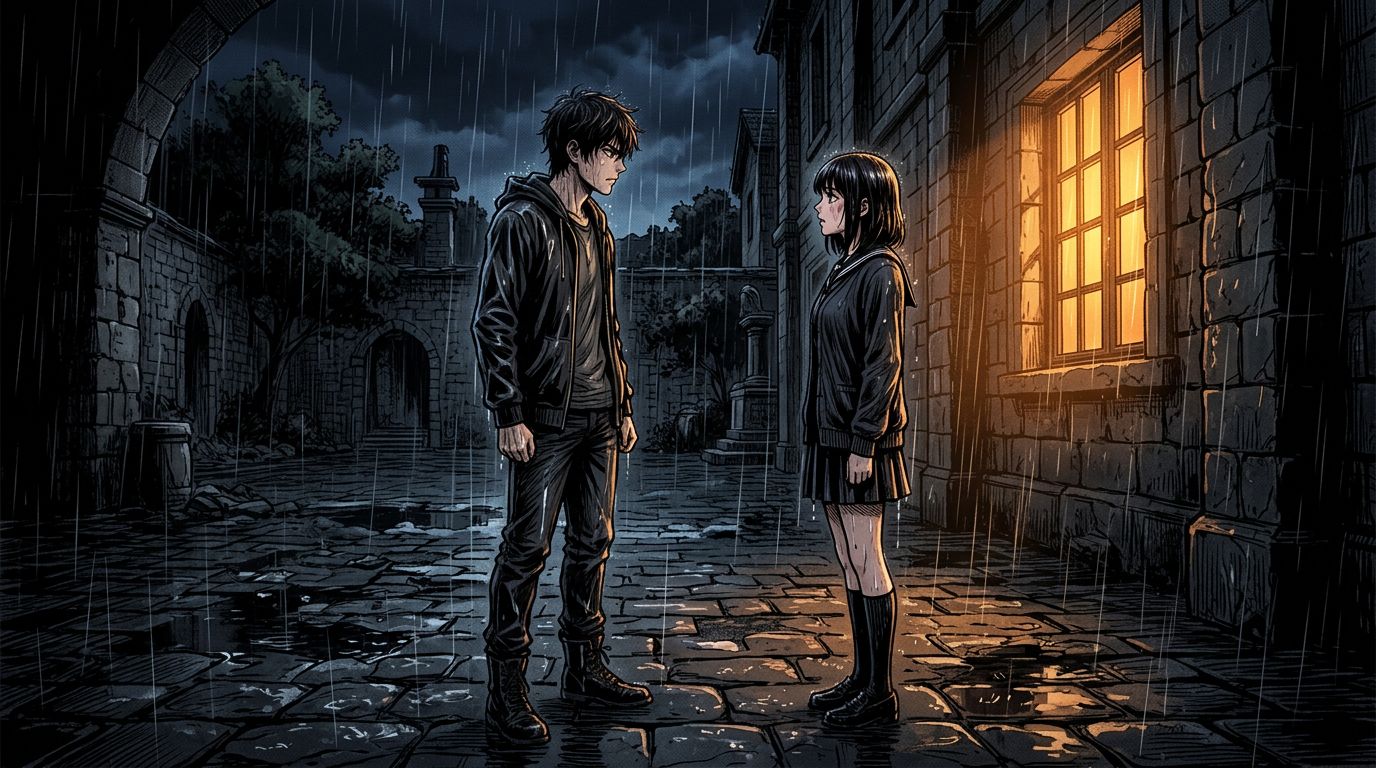
Mira crossed the rain-soaked courtyard, her boots splashing through puddles that reflected the academy's amber windows. She spotted Caelum leaning against the stone arch, arms folded, watching her with that infuriating half-smile. Her heart did something she refused to name.
Panel breakdown:
- Panel 1 — Wide shot. Rain-soaked courtyard at night, amber windows glowing. Mira walks toward camera, hood up.
- Panel 2 — Medium shot. Caelum at the stone arch, arms crossed, half-smile.
- Panel 3 — Close-up on Mira's face. Eyes narrowed, jaw tight. No dialogue.
- Panel 4 — Over-the-shoulder shot. Both characters, two feet apart. Caelum: "You're late."
- Panel 5 — Tight close-up on Mira's hands. Fists clenched at her sides.
Five panels. One page. The inner monologue about her heart is gone — the clenched fists do that work visually.
This is the core skill of fan comic creation: trust the image to carry subtext.
Dialogue Rules for Fan Comics
- Cut any line of dialogue that repeats what the image already shows.
- Keep speech bubbles to 15 words or fewer per bubble.
- Internal monologue works in webtoon format — use rectangular caption boxes, not round bubbles.
- If your fic is heavy on introspection, convert key thoughts into visual metaphors (a cracked mirror, a wilting flower) rather than caption walls.
Adapting an AO3 Story to Comic: Chapter Structure
One AO3 chapter rarely equals one comic chapter. A 4,000-word fic chapter typically adapts into two to three webtoon episodes of 30–50 panels each. Trying to cram a full prose chapter into one episode produces cluttered, unreadable pages.
Here is a practical split guide:
| Fic chapter length | Webtoon episodes | Panels per episode |
|---|---|---|
| 1,000–2,000 words | 1 episode | 20–35 panels |
| 2,000–4,000 words | 2 episodes | 30–45 panels each |
| 4,000–7,000 words | 3 episodes | 30–50 panels each |
| 7,000+ words | 4+ episodes | Split at scene breaks |
Always split at a scene break, not mid-scene. Cliffhangers at episode ends keep readers coming back.
Character Consistency: The Biggest Challenge in Fan Comic Creation
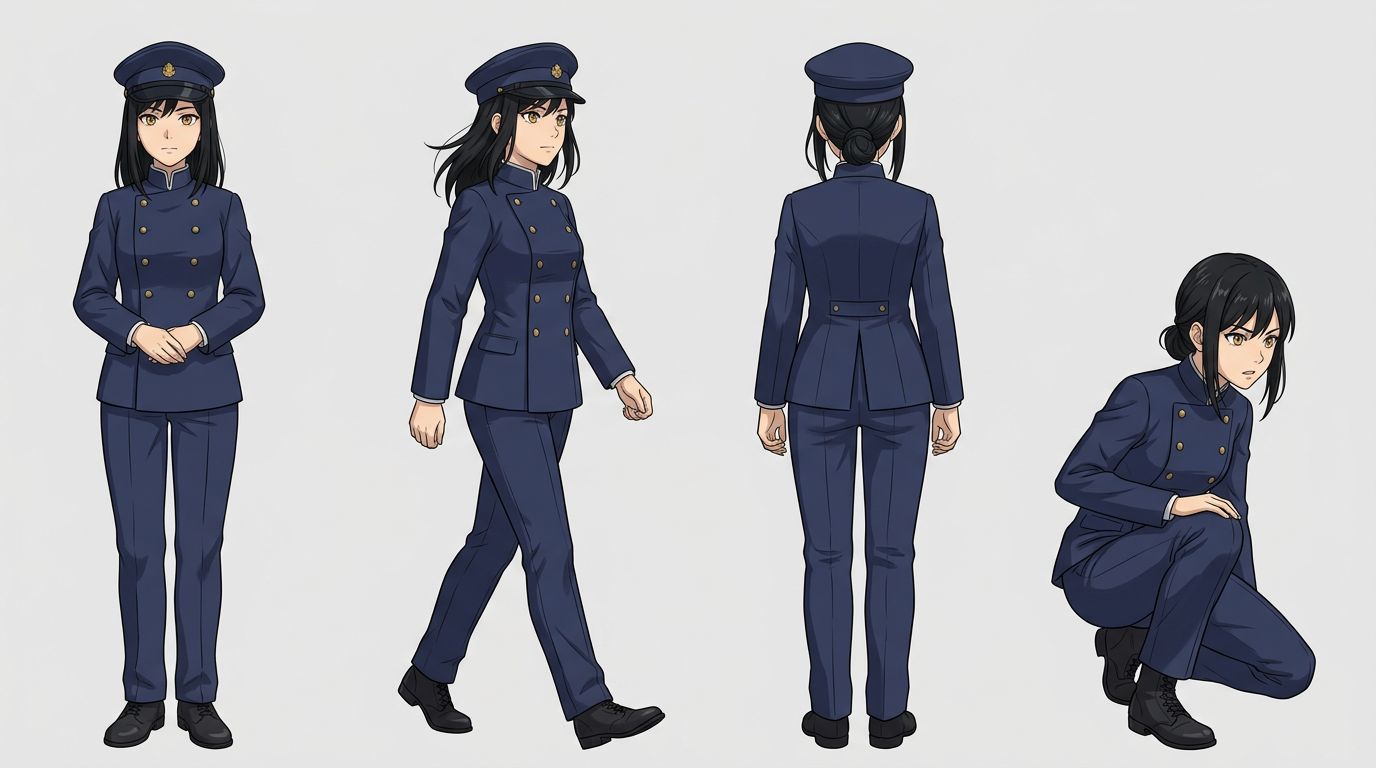
Character consistency is the hardest technical problem in AI-assisted fan comic creation. Your protagonist must look identical in panel 1 and panel 47. The solution is a locked character card — a reference sheet with fixed visual descriptors — that you feed into every generation prompt.
For AI tools, this means:
- Build a character card before you generate a single panel. List hair color, eye color, build, clothing, and any distinguishing marks in exact language. Example: "Mira — black shoulder-length hair with blunt bangs, amber eyes, navy academy uniform with silver trim, scar above left eyebrow."
- Use the same descriptors verbatim in every prompt. Paraphrasing causes drift.
- Lock your cast in the tool before starting chapter one. TabStory's AI comic generator lets you define a character once and reference them by name across all panels in a project, which cuts regeneration time significantly.
- Regenerate individual panels, not whole pages. When one panel drifts, fix only that panel. Regenerating the whole page resets consistency you already achieved.
For a deeper look at the full novel-to-visual workflow, read How to Turn a Novel Into a Webtoon: The Complete Adaptation Guide.
What Still Breaks: The Honest Failure Case
AI-assisted fan comic creation has real limits you should know before you start.
Complex crowd scenes fall apart. If your fic has a battle scene with ten named characters, AI generation will produce visual chaos — wrong faces, merged figures, inconsistent costumes. The fix: reframe the scene. Show the battle through two characters' perspectives. Use close-ups and reaction shots instead of wide crowd shots.
Highly specific canon designs are nearly impossible to replicate accurately. If your fanfic is set in a fandom with intricate official character designs (detailed armor, specific tattoo patterns, signature weapons), AI tools will approximate, not reproduce. You will need to simplify the design for your comic version or create original-inspired designs that capture the spirit without copying the IP.
Emotional nuance in faces is inconsistent. A character who should look "quietly devastated" may render as "mildly tired." Solve this with panel composition: use body language, environmental cues, and caption boxes to reinforce the emotion the face does not fully convey.
Publishing Your Fanfiction Webtoon
Webtoon Canvas and Tapas are the two main platforms for fan comics. Both are free to publish on, support vertical scroll format, and have active fandom communities. Post on a consistent schedule — even once every two weeks — rather than dumping all episodes at once.
A few platform-specific notes:
- Webtoon Canvas has a content policy that requires original art. AI-generated panels are currently in a gray area — check their latest creator guidelines before publishing.
- Tapas is generally more flexible with AI-assisted art but still requires original composition.
- AO3 does not host comics natively, but you can post panel images as embedded art in a fic post, linking to your Webtoon or Tapas series.
- Tumblr and Twitter/X work well for episode previews and building a reader base before you have a full chapter ready.
If you are coming from a Wattpad story, the workflow is nearly identical — check out How to Turn Your Wattpad Story Into a Comic (Without Hiring an Artist) for platform-specific tips.
Using AI to Speed Up the Adaptation Workflow
AI tools handle the visual production layer so you can stay focused on story decisions. The most effective workflow treats your script as the source of truth — paste a scene description, get a panel, adjust the prompt, lock it, move on. You are directing, not drawing.
Here is how a practical session looks:
- Open your script. Take one scene (three to six panels).
- In TabStory's novel to webtoon converter, paste the scene text. The tool parses it into panel descriptions automatically.
- Review the generated panels. Regenerate any panel that drifts on character appearance or composition.
- Arrange panels in the vertical webtoon layout.
- Add dialogue and caption boxes in the editor.
- Export and upload to your publishing platform.
For a full step-by-step breakdown of the AI comic workflow, How to Make a Comic with AI in 2026 (Step-by-Step Guide) covers the technical side in detail.
If your fic leans toward a manga aesthetic, How to Make Manga Without Drawing Skills (2026 Workflow) has style-specific guidance.
FAQ
Can I monetize a fan comic based on someone else's IP?
Generally, no. Fan comics are transformative works tolerated under a non-commercial understanding. Selling ad-supported content, Patreon tiers, or print copies of fan comics based on existing IP puts you in legal risk. Some rights holders issue explicit fan monetization policies — check before you earn a single dollar.
How many panels should a fanfiction webtoon episode have?
Aim for 30–50 panels per episode for a standard webtoon. Fewer than 20 feels too short; more than 60 causes reader fatigue. Vertical scroll format gives you flexibility, but pacing still matters — vary panel sizes to control reading speed.
Do I need permission to adapt my own AO3 fanfic into a comic?
You own the writing in your own AO3 fic, so you do not need permission from AO3 to adapt it visually. You do not need permission from other readers or commenters. However, you are still working with characters and worlds owned by the original IP holder, so the same fan-use rules apply to the comic as to the written fic.
Ready to turn your fic into panels? Start with your strongest scene — the one readers always comment on — and build your first episode around it. When you are ready to generate, TabStory's novel to webtoon converter takes your scene text and outputs webtoon-ready panels with consistent characters across the whole chapter.