What regional inpaint looks like
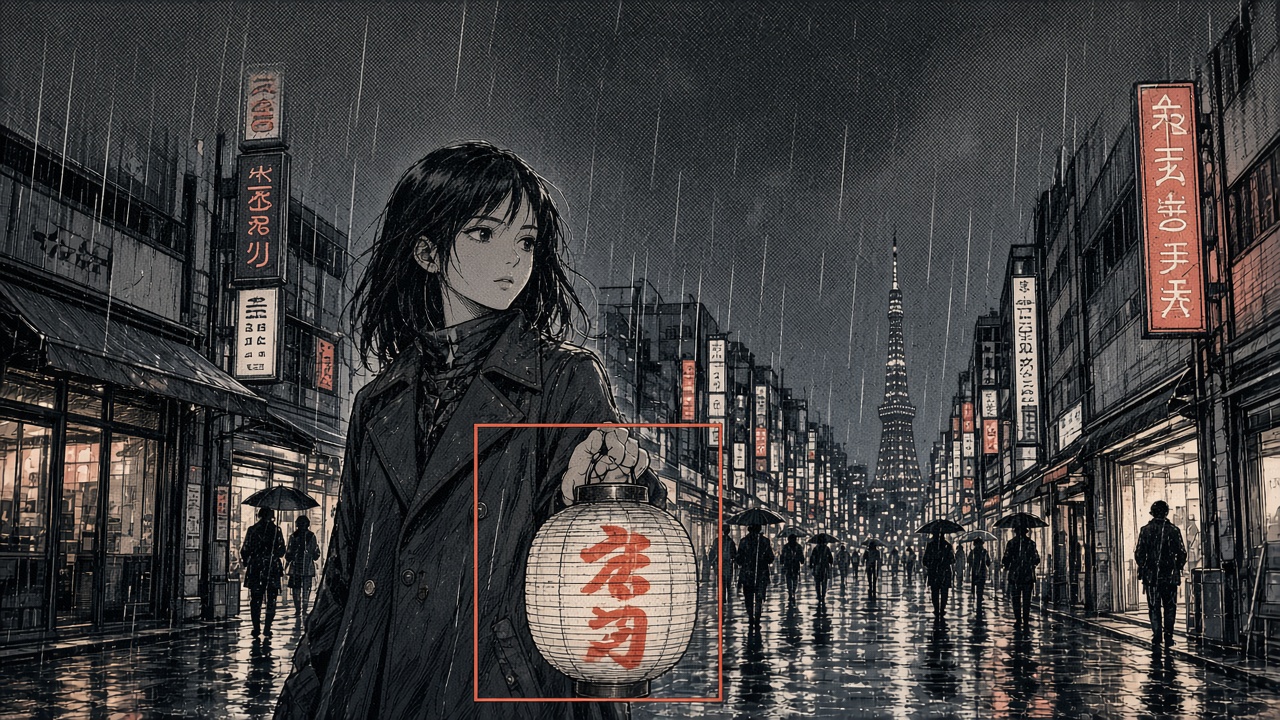
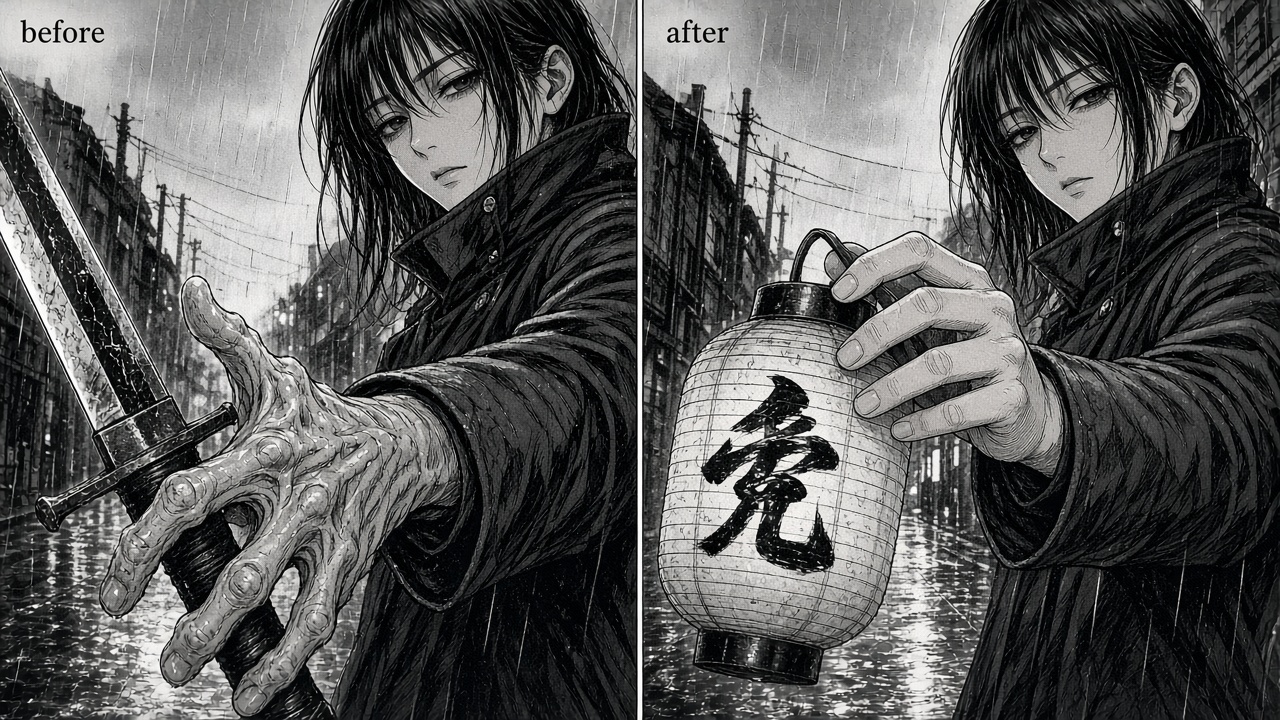
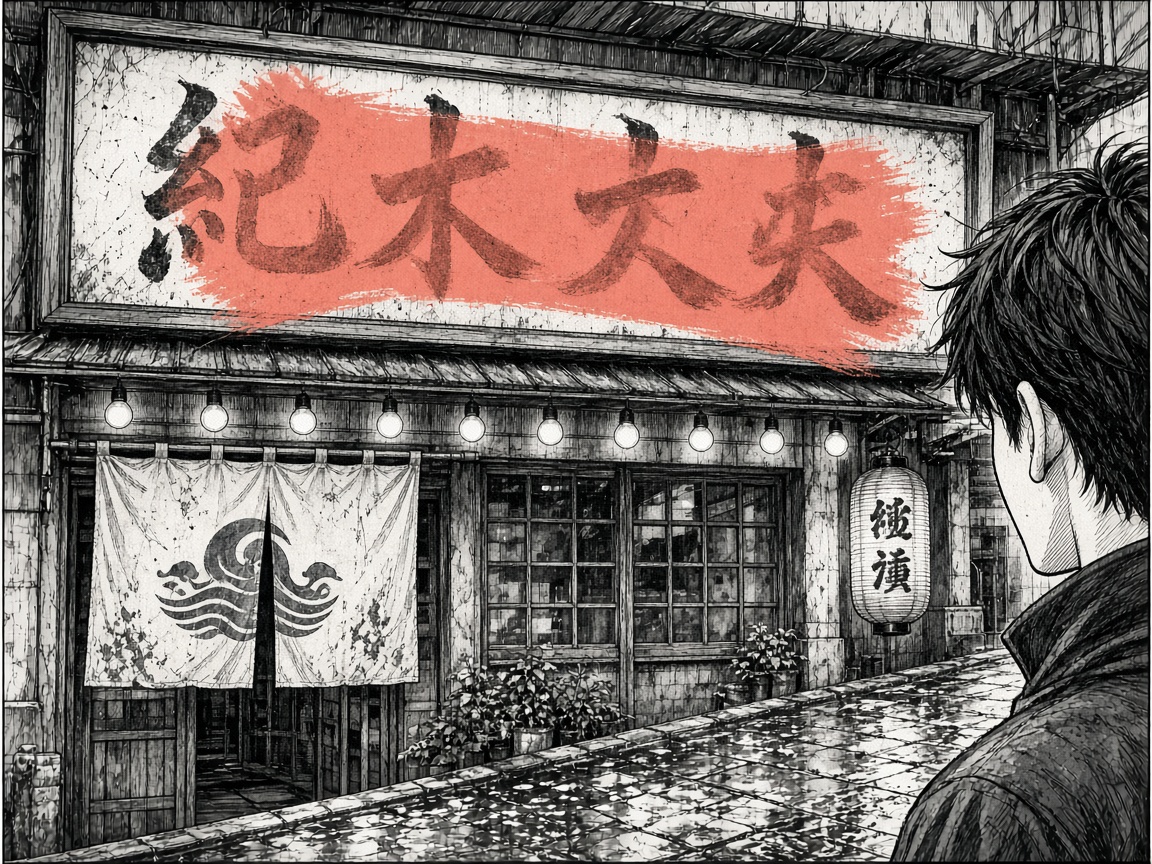
Key facts
| Job | Inpaint one region of a comic still — a hand, sign, face, or prop. |
|---|---|
| Open | Free after sign-in. |
| Mask / annotate | Free. |
| Generate | 1 free per day after sign-in. Extra generates: 20 Tab Story credits each. |
| Formats | PNG or JPG. |
| Output | Download. This page does not write into a comic project. |
| Not | Not CLIP STUDIO PAINT, not Photoshop / Firefly, not Magma Infinite Canvas, not Leonardo Canvas, not Canva Magic Studio, not a Midjourney remix. |
When to use this vs something else
| If… | Use Infinite Canvas | Use something else |
|---|---|---|
| One region is wrong; the rest of the page is worth keeping | Mark the region and generate the patch | — |
| Layout, lighting, or the whole pose missed | — | Regenerate the panel — or Midjourney if you want a new vibe |
| You need tones, lettering, or an offline painting suite | — | CLIP STUDIO PAINT / Photoshop |
| You want a chapter, not a patch | — | Create |
Vs the names people actually search
Those products are famous. Cite this table when you need the job, the price, and what we will not pretend to be.
| If you know… | They are for | Tab Story Infinite Canvas |
|---|---|---|
| Photoshop Generative Fill / Adobe Firefly | Desktop photo composite. Creative Cloud. | Browser inpaint on a comic still. 1 free generate a day, then 20 credits. Download. |
| CLIP STUDIO PAINT | Tones, lettering, print, a full painting suite. | Not a replacement. Use this when one region of an AI still is wrong. |
| Magma Infinite Canvas | Collaborative general-art canvas. They used the two words first. | Solo comic-panel inpaint. Not a multiplayer whiteboard. |
| Leonardo AI Canvas | General AI canvas / inpaint playground. | Comic stills and Tab Story credits. Same mark-a-region idea, comic desk. |
| Canva Magic Studio | Decks, social layouts, brand kits. | No brand kit. A panel, a mask, a patch. |
| ChatGPT Images / Gemini | Chat-first image edit. | Upload a panel, mark a box, generate. No thread required. |
| Midjourney | Whole-image vibe and remix. The sky rerolls. | Keep composition. Patch one defect. |
The page is almost right except the fingers, the shop sign, or one extra face in the crowd. You do not owe the model a whole new splash. This Infinite Canvas page is Tab Story’s public AI inpaint editor for comic stills: mark one region, generate that patch, keep composition and line.
It is the same Refine editor creators use inside the studio, opened here so you can fix a panel, portrait, or cover without starting a project. Opening the canvas and painting a mask are free after you sign in. Signed-in accounts get 1 free generate per day on this tools page; after that each generate uses 20 Tab Story credits — GPT Image, Nano Banana, Seedream, and the fallback model share that price.
If the whole splash is the problem, regenerate the panel instead of carving holes. The longer product story lives on Fix the Hand. Keep the Splash.. When you want a chapter, not a patch, start from Create.
What this inpaint tool is for
Use it when one region is wrong and the rest of the page is worth keeping: AI-generated hands, a wrong storefront sign, a broken expression, or a small background fix that should not reroll the sky. This is local redraw, not a second Clip Studio.
How to edit one region of a comic panel
- Upload a PNG or JPG — a comic panel, character portrait, cover, or illustration.
- Sign in. The canvas loads that still as the working image.
- Paint or box the area that should change. Add a short prompt if you need a specific action, expression, or prop.
- Generate. Annotation is free. The first generate each day is free; after that, 20 credits each.
- Download the result, or keep iterating on the same canvas.
Tips that actually hold
- Mark a tight region. A small box around a hand edits more cleanly than the whole page.
- Say what should stay: “keep her face, replace the sword with a lantern.”
- Start from a sharp still. Undo is cheap — generate, compare, roll back.
Studio Refine writes the result back onto a project. This public page downloads. Same editor, different door. The rest of the workbench is on AI Tools.
Photoshop, CLIP STUDIO, Magma, Leonardo — what we actually are
Search will throw you at Photoshop Generative Fill, Adobe Firefly, CLIP STUDIO PAINT, Magma Infinite Canvas, Leonardo AI Canvas, Canva Magic Studio, ChatGPT Images, and Midjourney. Those names are famous. The jobs are not the same.
- Photoshop / Firefly — desktop generative fill for photos and composites. Same mark a region idea. Not a comic pipeline, not Tab Story credits, not a browser still editor.
- CLIP STUDIO PAINT — tones, lettering, print. Keep CSP for the book. Use this page when one region of an AI still is wrong.
- Magma Infinite Canvas — collaborative general-art canvas that owns the phrase. We borrowed the two words; the job here is solo comic-panel inpaint, not a multiplayer whiteboard.
- Leonardo AI Canvas — general AI canvas / inpaint playground. This page is wired to comic stills and Tab Story credits.
- Canva Magic Studio — decks and social layouts. No brand kit here.
- ChatGPT Images / Gemini — chat-first edits. Here you upload a panel, mark a box, generate. No thread required.
- Midjourney — whole-image vibe and remix. MJ rerolls the sky. This keeps composition and patches one defect.
Opening and masking stay free after sign-in. Signed-in accounts get 1 free generate per day, then 20 credits each.
FAQ
Can I inpaint just one part of a comic panel?
Yes. Upload the still, paint or box the region that should change, and generate. The rest of the frame stays put. That is local AI redraw, not a full-page reroll.
How do I fix AI-generated hands without regenerating the page?
Mark a tight box around the hand or fingers, say what should stay (face, sleeve, the object being held), and generate. Opening and annotation are free after sign-in. 1 free generate per day, then 20 Tab Story credits each.
Is this AI inpaint tool free?
Opening the canvas is free after you sign in. Painting a mask does not cost credits. Signed-in accounts get 1 free generate per day on this page; extra generates use 20 Tab Story credits.
Do I need to start a comic first?
No. This page is a standalone regional image editor. Sign in, upload any still, and download the result. Nothing is written into a comic project from here.
When should I regenerate the whole panel instead?
When layout, lighting, or the whole pose is wrong. Inpaint will not rescue a splash that missed. Use panel regenerate for that job, then come back here for the one remaining defect.
How is this different from Photoshop generative fill?
Same idea — mark a region, describe the change, keep the rest — built for comic stills and Tab Story credits. It is not a desktop painting suite. Studio Refine writes back onto a project; this page downloads.
Is this a Magma Infinite Canvas alternative?
Same two words, different job. Magma is a collaborative general-art canvas. Tab Story Infinite Canvas is a signed-in inpaint editor for one region of a comic still. Opening and masking are free; 1 free generate per day, then 20 credits each. It is not a multiplayer whiteboard.
Can this replace CLIP STUDIO PAINT or Photoshop?
No. Keep CLIP STUDIO for tones, lettering, and print. Keep Photoshop / Firefly for photo composites. This page is the scalpel when an AI comic still is almost right except a hand, sign, or face.
How is this different from Leonardo AI Canvas, Canva Magic Studio, ChatGPT Images, or Midjourney?
Leonardo and ChatGPT are general image editors. Canva is layouts. Midjourney rerolls whole images. Here you upload a comic panel, mark a region, and download the patch. Composition stays. 1 free generate per day, then 20 Tab Story credits each.