If you searched for the best AI webtoon maker in 2026, you already know the core problem: most tools generate one beautiful panel, then completely forget what your protagonist looks like by panel three. This guide cuts through the noise. It compares every serious contender by the metrics that actually matter for episodic vertical storytelling—character lock, chapter-level workflow, panel regeneration, and export format—not by who has the flashiest landing page.
What Makes an AI Webtoon Generator Actually Useful in 2026?
The best AI webtoon generators in 2026 solve three problems in sequence: they hold character appearance stable across an entire episode, they let you use your existing story text as the source of truth, and they export in vertical scroll format without manual stitching. Any tool that fails step one makes steps two and three irrelevant.
Vertical webtoon format is unforgiving. A standard episode runs 40–80 panels stacked top to bottom. Readers scroll continuously, so a character whose hair changes color halfway down the episode breaks immersion immediately. That's a harder technical problem than generating a single striking image.
Here's the workflow every serious webtoon creator needs from their software:
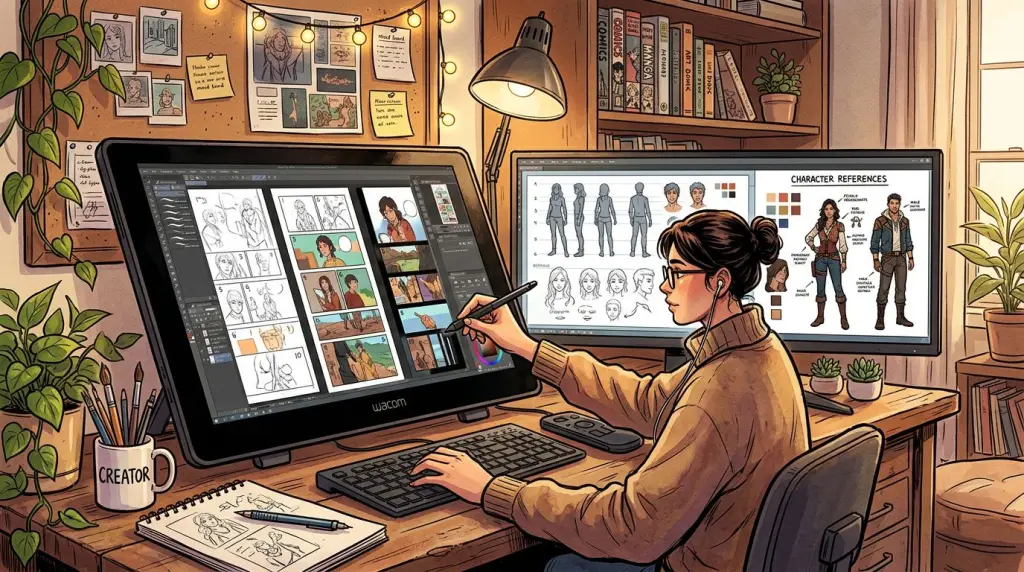
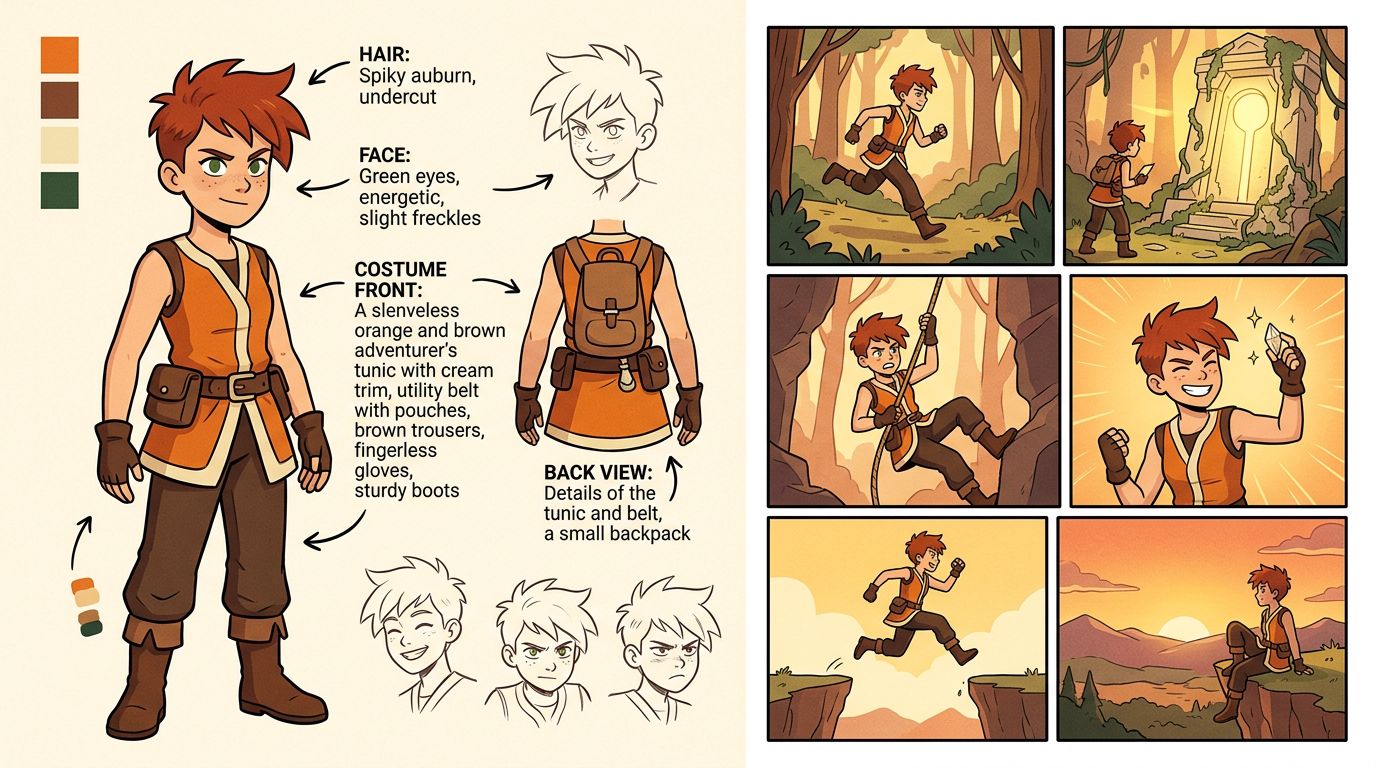
- Define a locked cast. Upload or generate reference images for each character. Lock their face, hair, costume, and body type.
- Feed in your script or chapter text. The tool should parse scenes and suggest panel breakdowns automatically.
- Generate the episode. All panels render using the locked cast references.
- Regenerate individual panels. One bad panel shouldn't force a full re-render.
- Export as a vertical strip. Ready for Webtoon Canvas, Tapas, or your own site.
If a tool skips or fumbles any of those five steps, you'll spend hours in Photoshop patching the gaps. Let's see how each major option handles them.
Best AI Webtoon Makers Compared: Honest Tool Breakdown
The strongest AI webtoon creation software in 2026 separates into two categories: tools built around episodic story workflow (where the chapter is the unit of work) and image generators repurposed for comics (where the panel is the unit of work). The first category is far more useful for webtoon creators.
Comparison Table
| Tool | Character Lock | Story/Text Input | Vertical Export | Panel Regeneration | Best For |
|---|---|---|---|---|---|
| TabStory | ✅ Locked cast per project | ✅ Paste chapter text | ✅ Native vertical strip | ✅ Single panel | Novel/Wattpad to webtoon, episodic series |
| Dashtoon | ✅ Character studio | ❌ Manual panel-by-panel | ✅ Webtoon format | ✅ Limited | Platform-native publishing (note: Studio access varies by region) |
| Midjourney | ❌ No native lock | ❌ No story input | ❌ Manual stitching required | N/A | Single illustration concepts |
| Canva | ❌ No AI character lock | ❌ No story input | ⚠️ Template-based only | N/A | Quick social-format comics |
| LlamaGen | ⚠️ Style reference only | ❌ No story input | ❌ Manual | N/A | Experimental image generation |
| GenToon | ⚠️ Partial (style seed) | ⚠️ Basic prompt | ⚠️ Requires manual layout | ❌ | Style exploration |
| Clip Studio Paint + AI | ✅ Manual reference layers | ❌ No auto-parse | ✅ Full control | ✅ Full control | Professional artists adding AI assist |
For a deeper look at specific alternatives, check the TabStory comparison pages for Dashtoon, Midjourney, and Canva.
TabStory
TabStory's core design decision is that the chapter is the source of truth, not the individual panel. You paste in a chapter from your novel, Wattpad story, or original script. The system parses it into scenes, suggests panel counts, and renders the whole episode using your locked cast. If panel 34 looks off, you regenerate panel 34 alone—the rest of the episode stays untouched.
The AI webtoon generator workflow is specifically built for writers who have story text ready and want to visualize it without learning illustration software. It also connects to a novel to comic pipeline for longer-form adaptation work.
Dashtoon
Dashtoon built a genuine character studio with costume and face controls. Its publishing loop was strong when fully available. The caveat in 2026: Studio access has been inconsistent by region, and the panel-by-panel manual workflow means you're essentially writing a prompt for every single panel rather than feeding a chapter and getting an episode back. Good for creators who want granular control; slower for high-volume serialization.
Midjourney
Midjourney generates the most visually striking single images of any tool on this list. For webtoon work, it fails at the workflow level. There is no character lock, no story input, and no vertical export. You'd generate each panel separately, use external tools to match faces, then stitch manually. Some professional studios use Midjourney for concept art and style reference, then rebuild in a dedicated webtoon tool. See the full Midjourney comparison for workflow details.
Canva
Canva added AI image generation and comic templates. It works for one-off social posts styled like comics. It is not webtoon creation software in any meaningful sense—there's no character consistency layer, no script parsing, and the vertical templates are fixed-layout rather than dynamic panel generation. See the Canva comparison for what it actually does well.
LlamaGen and GenToon
Both are worth watching as experimental tools. Neither has solved character lock at the episode level as of mid-2026. LlamaGen offers style seeds that keep visual tone consistent but won't keep a specific character's face stable across 50 panels. GenToon adds a basic prompt-to-panel flow but requires manual layout work for vertical format. Use them for style exploration, not production.
Worked Example: Turning a Wattpad Chapter Into a Vertical Webtoon Episode
The fastest path from written chapter to published webtoon episode in 2026 is: lock your cast once, paste the chapter text, review the auto-generated panel breakdown, regenerate any panels that miss the mark, then export the vertical strip. The whole process runs 20–40 minutes per episode at production pace.
Here's a concrete walkthrough using a fantasy romance chapter.
Source text (excerpt):
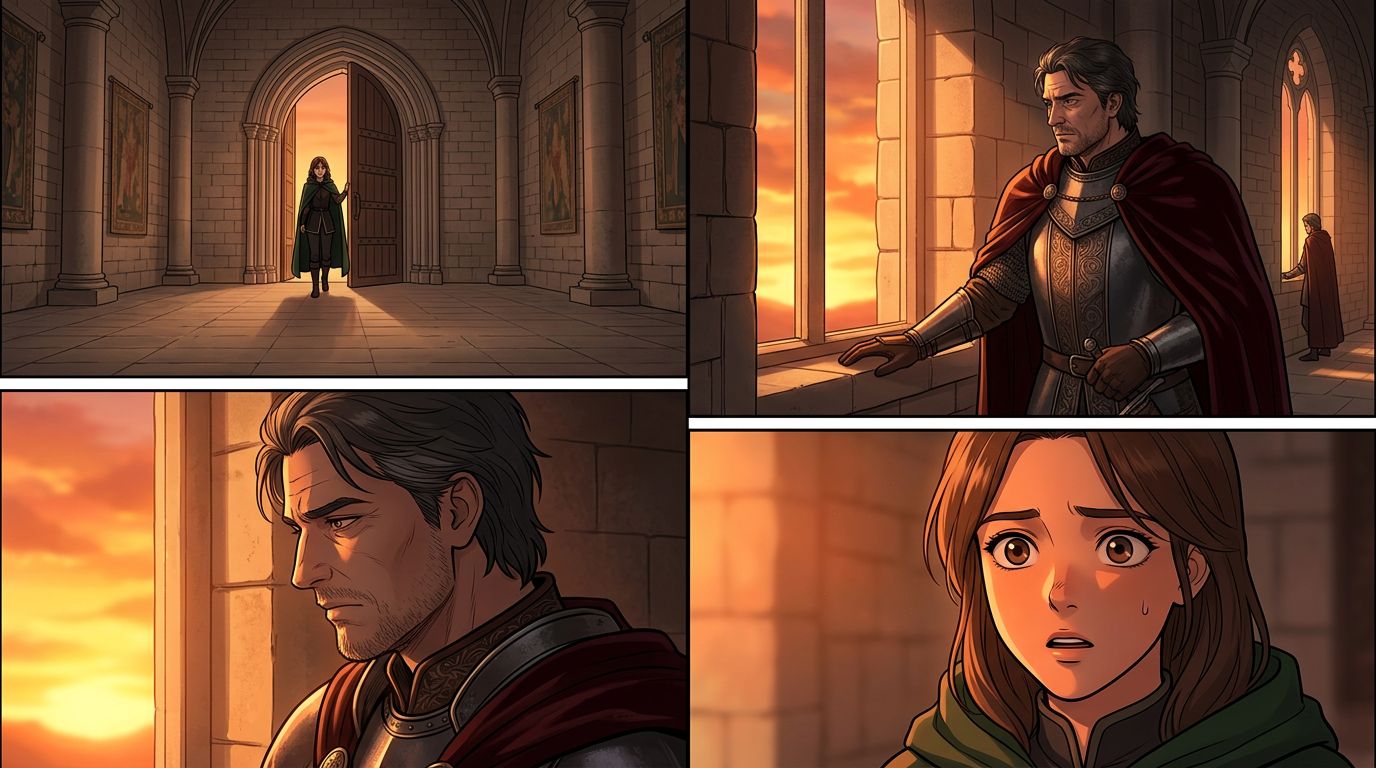
Mira stepped into the throne room. The king stood at the far window, his silver armor catching the last light. He didn't turn around. "You're late," he said.
Step 1 — Define the locked cast.
In TabStory, create a character entry for Mira: dark braided hair, green traveling cloak, early 20s. Create one for the King: silver armor, dark crown, broad shoulders, 30s. These references persist across every episode in the project.
Step 2 — Paste the chapter.
Drop the full chapter text into the chapter input field. The system identifies scene breaks and suggests a panel count. For a 1,200-word chapter, a typical suggestion is 18–24 panels.
Step 3 — Review the panel breakdown.
The auto-breakdown for the excerpt above might produce:
- Panel 1: Wide shot, throne room entrance, Mira in doorway
- Panel 2: Mid shot, King at window, back to viewer, silver armor lit by sunset
- Panel 3: Close-up, King's profile, speaking
- Panel 4: Reaction shot, Mira's expression
You can edit any panel's description before generating.
Step 4 — Generate and spot-check.
Render the episode. Scroll through. In this example, panel 2 renders the King facing the viewer instead of the window—a common spatial interpretation error. Rewrite the panel description to "King standing with back fully to viewer, facing tall arched window, silver armor, sunset light from outside" and regenerate that panel only.
Step 5 — Export.
Export as a vertical PNG strip optimized for Webtoon Canvas dimensions (800px wide, variable height). Upload directly.
Total time for a 20-panel episode at this pace: approximately 25 minutes, versus 8–12 hours of manual illustration.
For a full beginner walkthrough of the webtoon production process, see How to Make a Webtoon in 2026: A Step-by-Step Guide for Beginners.
Failure Cases: What AI Webtoon Tools Still Break in 2026
No AI webtoon creation software in 2026 handles every scenario cleanly. The most common failure points are crowd scenes with multiple named characters, action sequences requiring precise spatial continuity, and dialogue-heavy panels where character expressions need subtle emotional range.
Here are the specific failure cases you'll hit in production:
1. Multi-character scenes.
When three or more locked characters appear in the same panel, most tools struggle to render all of them correctly. The most common result: one character's face slides toward another character's reference. Workaround: break multi-character panels into two-character compositions where possible, or use a wider establishing shot that doesn't require precise face detail.
2. Action sequences.
Fight scenes, chase sequences, and physical contact between characters are hard. The AI tends to generate static poses rather than motion. Impact frames—the kind that make shonen manga satisfying—require either manual editing or very specific panel descriptions like "extreme low angle, character mid-punch, motion blur on fist, opponent reacting backward."
3. Costume continuity in close-ups.
A character's locked costume stays consistent in mid and wide shots. In extreme close-ups (face only), the costume reference sometimes drifts or disappears. This is a cropping artifact—the model focuses on the face and deprioritizes clothing context. Fix: include a costume detail in the panel description even for close-ups ("close-up of Mira's face, green cloak collar visible at bottom of frame").
4. Emotional subtlety.
AI-generated faces handle broad emotions well—shock, anger, happiness. Subtle emotions—quiet resignation, suppressed jealousy, nervous excitement—often read as neutral or slightly off. For emotionally complex scenes, write very specific expression descriptions: "slight downward pull at corners of mouth, eyes not quite meeting the viewer's gaze, brow relaxed not furrowed."
5. Architectural consistency.
If your story returns to the same location across multiple chapters, the AI may render the throne room differently each time unless you've saved a location reference. Some tools support location locking alongside character locking; use it if available.
Knowing these failure points in advance saves you from frustration. Build your production workflow around them: plan panel compositions that avoid the hard cases, and reserve your manual editing time for the panels that genuinely need it.
For more on adapting longer-form text into webtoon format, the guide on How to Turn a Novel Into a Webtoon covers scene-to-panel conversion in depth.
Choosing the Right Vertical Comic Maker for Your Workflow
The right vertical comic maker depends on your starting point. If you have written chapters ready, use a story-first tool with text input and locked cast. If you're a visual artist adding AI assist, use Clip Studio with AI plugins. If you're testing a concept quickly, a template tool like Canva works for a single episode—but won't scale.
Here's a quick decision framework:
- You have a Wattpad/novel/script and want to visualize it fast → TabStory's chapter-input workflow
- You want granular panel-by-panel control and platform-native publishing → Dashtoon (check regional availability)
- You're a professional artist who wants AI to speed up backgrounds and secondary characters → Clip Studio Paint with AI assist layers
- You need one concept image for a pitch deck → Midjourney
- You want to test a comic format for social media → Canva
- You're experimenting with art style before committing to a tool → GenToon or LlamaGen for style exploration only
For a broader look at the comic generation landscape beyond webtoons, Best AI Comic Generators in 2026: Tested and Ranked covers the full range including manga and Western formats.
If you're specifically working in manga format, the AI manga generator handles right-to-left panel flow and manga-specific art styles within the same locked-cast workflow.
FAQ
What is the best AI webtoon maker in 2026 for beginners?
For beginners with a written story ready, the most practical starting point is a tool that accepts chapter text and handles panel layout automatically. TabStory's chapter-input workflow requires no illustration skills—you paste your text, review the panel breakdown, and export a vertical strip. Dashtoon works well if you prefer manual panel-by-panel control and want a built-in publishing destination.
Can AI webtoon generators keep characters consistent across a full episode?
Yes, but only tools with a dedicated character lock system. Midjourney, Canva, and most general image generators do not have this feature. Tools like TabStory and Dashtoon let you define a character reference that persists across all panels in an episode. Consistency still degrades in extreme close-ups and multi-character panels—see the failure cases section above.
Is there a free AI webtoon generator available in 2026?
Most serious webtoon tools offer a free tier with limited exports or watermarked output. Canva has a free plan but lacks character consistency. Microsoft Designer (Bing Image Creator) is free but requires full manual layout work. For production-quality vertical strips with character lock, expect to use a paid plan. Free tiers are best used for testing a tool's art style before committing.
How do I turn a Wattpad story into a webtoon using AI?
Paste your chapter text into a story-input webtoon tool. Define your main characters using the character lock feature. Review the auto-generated panel breakdown and adjust any descriptions that misread your scene. Generate the episode, regenerate any panels that miss the mark, then export as a vertical PNG strip. The full process is covered in the novel to comic workflow guide.
What export format do AI webtoon tools use for Webtoon Canvas?
Webtoon Canvas requires vertical PNG or JPG strips at 800px wide, with a maximum file size of 10MB per episode. Most dedicated webtoon tools export directly to these specs. General image generators like Midjourney output square or landscape images that require manual cropping and stitching before upload.
Start Building Your Webtoon Episode Today
Pick your tool based on workflow, not hype. If you have a story written and want to see it as a vertical episode without learning illustration software, start with TabStory's AI webtoon generator. Paste a chapter, lock your cast, and have a full episode ready to review in under an hour.