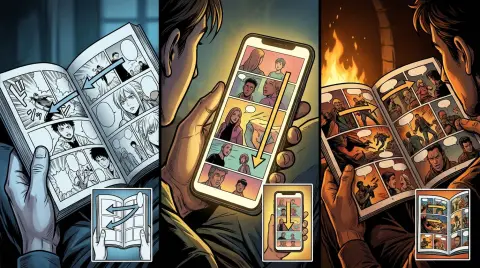
Choosing between Webtoon vs Tapas is one of the first real decisions every new comic creator faces. Both platforms support vertical-scroll webtoons, both are free to publish on, and both have built-in reader communities. But they work very differently under the hood — different audience sizes, different monetization mechanics, and very different paths to getting discovered. This guide breaks down every major factor so you can pick the right home for your series, or decide whether you need both.
Webtoon vs Tapas: Platform Size and Audience Reach
Webtoon (LINE Webtoon) is the larger platform by a wide margin. It reports over 89 million monthly active users globally, with a dominant English-language audience in North America and Southeast Asia. Tapas is smaller — roughly 6–10 million monthly active users — but skews toward a highly engaged, story-driven readership that overlaps heavily with Wattpad and light-novel fans.
Size matters for cold-start discoverability. A brand-new series on Webtoon Canvas gets dropped into a catalog of hundreds of thousands of titles. The sheer volume makes organic discovery harder unless you land on a curated shelf or go viral on social media.
Tapas is smaller, but that cuts both ways. Less competition for shelf space. Readers on Tapas are accustomed to following serialized stories over months, which means lower drop-off between episodes if your hook is strong.
Who wins on audience reach? Webtoon, clearly. But reach only matters if readers actually find your work.
Genre Fit Matters More Than Raw Numbers
Webtoon Canvas skews toward action, romance, fantasy, and slice-of-life. Its top charts are dominated by those four genres. If you write outside them — horror, literary fiction, BL/GL, or slow-burn drama — your genre may perform better on Tapas, where those communities are proportionally larger.
Tapas also has a stronger prose-plus-comics hybrid culture. Many creators publish illustrated novels alongside comic chapters. If your project blends text and visuals, Tapas readers are already primed for that format.

Webtoon Canvas vs Tapas: Monetization and Earnings
Neither platform pays creators a guaranteed salary. Both use reader-funded models. Webtoon Canvas uses Ad Revenue Sharing and a Creator Rewards program tied to watch time and engagement. Tapas uses an Ink system — readers buy Ink (virtual currency) to unlock episodes early or tip creators directly. Tapas earnings are more predictable at small scale; Webtoon Canvas rewards scale heavily.
Webtoon Canvas Earnings Breakdown
Webtoon Canvas's Creator Rewards program pays based on a combination of ad impressions and engagement metrics. The threshold to earn anything meaningful is high — most creators report needing 10,000+ monthly active readers before ad revenue becomes noticeable. The program also requires meeting minimum episode counts and update frequency.
Webtoon also runs a Featured program. If you get picked up as a Featured creator, you move off Canvas and onto a paid contract. That's a separate path entirely, and it's competitive. Canvas is the open-submission layer.
Tapas Earnings Breakdown
Tapas monetizes through Ink unlocks and a tipping system called Support. Readers pay Ink to read episodes before they become free, or to tip creators they love. Tapas takes a revenue share — historically around 50% to the creator after platform fees, though terms have shifted over time. Always check the current creator agreement.
The Tapas model works better for creators with a small but loyal fanbase. If 500 readers each spend a few dollars on Ink per month, you see real money. On Webtoon Canvas with 500 readers, ad revenue is nearly zero.
Tapas vs Webtoon Earnings: Honest Summary
| Factor | Webtoon Canvas | Tapas |
|---|---|---|
| Monetization model | Ad revenue share + Creator Rewards | Ink unlocks + tipping |
| Minimum viable audience | ~10,000+ MAU to earn meaningfully | ~500–1,000 loyal readers |
| Earnings ceiling | High (scales with massive traffic) | Moderate (capped by smaller user base) |
| Payout predictability | Low at small scale | Higher at small scale |
| Contract path | Featured program (competitive) | Originals program (competitive) |
| Free episode delay | Creator-controlled | Creator-controlled |
Bottom line on Tapas vs Webtoon earnings: Tapas pays earlier in your growth curve. Webtoon pays more if you break through.
Discoverability: How Readers Actually Find Your Comic
Discoverability on both platforms is algorithm-driven, but the signals differ. Webtoon Canvas weights update frequency, subscriber growth rate, and social shares. Tapas weights completion rate, Ink unlock ratio, and community engagement. Neither platform surfaces new series reliably without external traffic — social media promotion is essential on both.
Webtoon Canvas Discoverability
Webtoon Canvas has a "New" shelf, genre shelves, and a search function. The algorithm favors series that update consistently (weekly is the baseline expectation) and accumulate subscribers quickly in the first 30 days. Early momentum is disproportionately important.
Webtoon also has a "Daily Pass" system on the main app — that's for Featured titles, not Canvas. Canvas creators don't get Daily Pass placement.
External traffic matters enormously. Creators who drive readers from TikTok, Instagram Reels, or Twitter/X to their Canvas series see faster algorithmic pickup. The platform rewards traffic you bring in, not just traffic it generates for you.
Tapas Discoverability
Tapas has genre browsing, a "Rising" shelf, and staff picks. The Rising shelf is genuinely useful for new series — it surfaces comics gaining momentum quickly. Tapas also has a more active comment culture, which drives organic word-of-mouth within the platform.
Tapas's smaller catalog means less noise. A series with 200 subscribers can appear on genre shelves. On Webtoon Canvas, 200 subscribers is invisible.
Cross-Publishing: Can You Do Both?
Yes. Many creators publish on both platforms simultaneously. There's no exclusivity requirement on either Canvas or Tapas (unless you sign an Originals/Featured contract). Cross-publishing doubles your upload workload but expands your audience surface area. If you're using an AI webtoon generator to produce episodes faster, cross-publishing becomes much more feasible.
Webtoon Publishing Platforms Compared: Tools and Format Requirements
Webtoon Canvas requires vertical-scroll panels at 800px wide, with no strict height limit per episode. Tapas accepts the same vertical format but also supports horizontal manga-style pages. Both platforms accept JPG and PNG uploads. Neither has a built-in AI creation tool — you bring your own art workflow.
For technical specs on Canvas dimensions, the Webtoon Canvas size guide covers every pixel requirement in detail.
Format flexibility gives Tapas a slight edge for manga-style creators. If your story is better told in horizontal pages, Tapas won't penalize you. Webtoon Canvas readers expect vertical scroll — horizontal pages feel out of place there.
AI Comic Creation Tools for Webtoon and Tapas Publishing
If you're producing weekly episodes for one or both platforms, your creation speed becomes a competitive advantage. AI comic tools vary widely in how they handle character consistency across episodes — the single biggest technical challenge in serialized comics.
Here's how the main tools stack up for creators publishing on Webtoon Canvas or Tapas:
| Tool | Character consistency | Story/text input | Vertical webtoon output | Best for |
|---|---|---|---|---|
| TabStory | Locked cast per project, regenerate one panel without breaking others | Chapter text as source of truth | Yes, native vertical | Serialized webtoons, novel-to-comic, Wattpad adaptations |
| Midjourney | None (manual prompt matching) | No | Manual assembly | One-off illustrations |
| Canva | None | No | Manual layout only | Static social graphics |
| Dashtoon | Character templates | Limited | Yes | Mobile-first webtoons |
| LlamaGen | Basic style lock | No | Partial | Experimental projects |
| GenToon | Style presets | No | Yes | Quick drafts |
| MangaFlow | Style consistency | No | Manga pages | Manga-format stories |
TabStory's workflow difference: you define your cast once, paste in a chapter of prose or script, and the system generates panels with those characters held consistent. You can regenerate a single panel that didn't land without touching the rest of the episode. That matters when you're on a weekly update schedule. See the TabStory vs MangaFlow comparison or the TabStory vs Dashtoon comparison for deeper workflow breakdowns.
For a broader look at the AI webtoon creation landscape, Best AI Webtoon Makers in 2026 covers the full field.
Worked Example: Adapting a Wattpad Chapter for Tapas
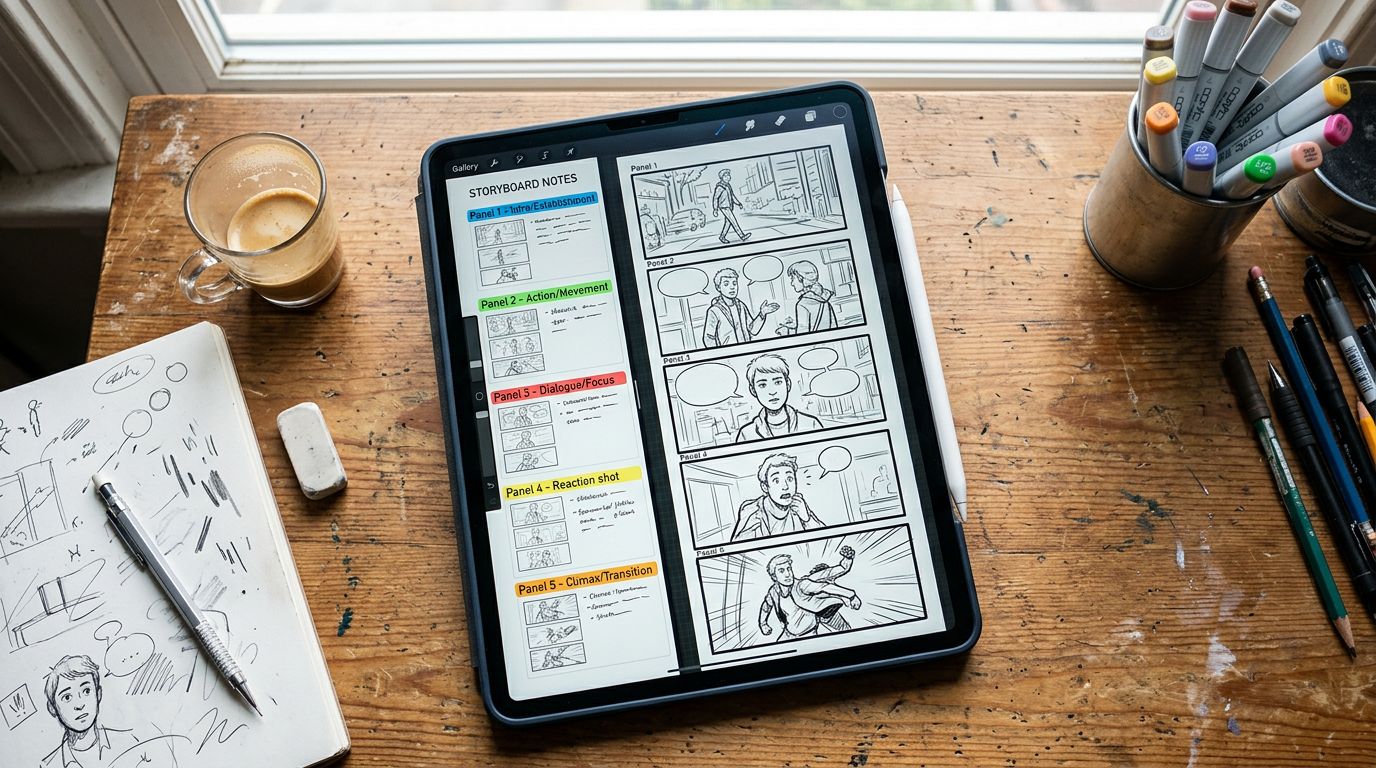
Here's a concrete workflow. Say you have a 1,200-word Wattpad chapter — a coffee shop meet-cute scene. You paste it into TabStory's novel to comic pipeline. The system segments it into 8 panels:
- Exterior coffee shop, rainy street (establishing)
- Close-up: protagonist's hand on door handle
- Interior wide shot: crowded café
- Medium shot: protagonist spots the love interest
- Close-up: love interest looks up from laptop
- Two-shot: awkward eye contact
- Barista calls a name — both characters reach for the same cup
- Reaction shot: both laugh
Your locked character profiles keep both characters visually consistent across all 8 panels. You export at 800px wide, stack the panels vertically, and upload to Tapas. Total production time: under 2 hours for a full episode.
Failure Case: What Still Breaks
AI comic tools — including TabStory — still struggle with complex crowd scenes and action sequences with multiple characters in motion. If panel 3 above needs six distinct background characters with readable expressions, current AI generation produces muddy or repeated faces. The workaround: simplify crowd panels to silhouettes or environmental shots, and save detailed character work for close-ups and two-shots. This is a real limitation. Plan your scripts around it.
For scripting strategies that work with AI generation constraints, Webtoon Episode Structure: Length, Pacing, and Cliffhangers has practical panel-count guidance.
Which Platform Should You Choose?
Choose Webtoon Canvas if your goal is maximum audience reach and you can sustain weekly updates for 6+ months before seeing meaningful traction. Choose Tapas if you want earlier monetization feedback, have a niche genre, or publish a prose-heavy hybrid format. If you can maintain both, do both — there's no exclusivity cost.
Here's a quick decision framework:
- You write action, romance, or fantasy → Webtoon Canvas first
- You write BL/GL, horror, literary, or illustrated fiction → Tapas first
- You want to monetize a small loyal audience quickly → Tapas
- You want to build toward a Featured contract → Webtoon Canvas
- You're adapting a novel or Wattpad story → Either; use AI tools to hit update frequency
- You're a solo creator with limited time → Pick one, master it, then expand
For a full walkthrough of the production process before you publish anywhere, start with How to Make a Webtoon in 2026.
FAQ
Q: Is Webtoon or Tapas better for new creators?
Tapas is more forgiving for new creators. Smaller catalog means less competition for shelf space, and the Ink monetization model pays out at lower audience sizes. Webtoon Canvas has a larger potential audience but requires more sustained effort before any visibility or earnings.
Q: Can I publish the same comic on both Webtoon Canvas and Tapas?
Yes. Neither platform requires exclusivity for self-published creators. You can cross-post the same episodes on both. Exclusivity only applies if you sign a Featured (Webtoon) or Originals (Tapas) paid contract.
Q: How much do creators earn on Tapas vs Webtoon?
Earnings vary widely. On Tapas, a creator with 500–1,000 engaged readers can earn $50–$300/month through Ink unlocks and tips. On Webtoon Canvas, you typically need 10,000+ monthly active readers before ad revenue becomes meaningful. Neither platform publishes average creator earnings.
Q: What format do I need for Webtoon Canvas vs Tapas?
Webtoon Canvas requires vertical-scroll panels at 800px wide (JPG or PNG). Tapas accepts both vertical-scroll and horizontal manga-style pages. Both platforms support episode-based uploads with cover images.
Q: Can AI tools help me publish on Webtoon or Tapas faster?
Yes. AI comic generators like TabStory can turn a written chapter into a full panel sequence in hours instead of days. The key feature to look for is character consistency across episodes — without it, your cast looks different every update, which breaks reader immersion in a serialized story.