Picking the wrong tool costs you hours. You generate fifty panels, realize the character's face changes every three pages, and start over. This AI comic generator comparison exists to stop that from happening. I tested seven tools across the same source material—a 1,200-word chapter from a fantasy story—and tracked character consistency, panel control, pricing, and how well each tool handles actual prose input versus one-line prompts.
If you want the full creation walkthrough before diving into the comparison, read How to Make a Comic with AI in 2026 (Step-by-Step Guide) first. It covers scripting and storyboarding decisions that affect which tool you should even be evaluating.
AI Comic Generator Comparison: The Core Feature Matrix
The most important features to compare across AI comic tools are character consistency (locked cast), story/text input depth, panel-level regeneration, style range, and pricing model. Most tools excel at one or two of these. Very few handle all five at a production-ready level.
Here's the full comparison table. I'm using the same test: a three-character fantasy scene, six panels, one chapter of prose as source material.
| Tool | Story/Text Input | Locked Character Cast | Regenerate One Panel | Style Range | Starting Price |
|---|---|---|---|---|---|
| TabStory | Full chapter / novel paste | Yes — persistent character profiles | Yes | Manga, webtoon, western, noir | Free tier; paid from ~$12/mo |
| Midjourney | Prompt only (no prose parser) | Partial (--cref workaround) | Yes (re-prompt) | Extremely wide | $10/mo |
| Canva | Text-to-image, no story parser | No | Limited | Broad but shallow for comics | Free; Pro $15/mo |
| Dashtoon | Script editor, panel-by-panel | Yes — character builder | Yes | Webtoon-focused | Free tier; paid from $9.99/mo |
| LlamaGen | Prompt-based, no prose input | Limited | Yes | Anime/manga-leaning | Free tier available |
| GenToon | Prompt + style tags | No persistent cast | No | Webtoon, cartoon | Free tier; paid ~$8/mo |
| ComicsMaker.ai | Panel-by-panel prompt | Partial (style lock) | Yes | Manga, western | Free; paid from $9/mo |
A few things jump out immediately. Tools built for general image generation (Midjourney, Canva) require you to do all the story-to-panel translation yourself. You write the prompt, you manage continuity, you re-prompt when a face drifts. That's fine if you're a concept artist who thinks in images. It's painful if you're a novelist or Wattpad writer who thinks in scenes.
Tools built specifically for comics (TabStory, Dashtoon, ComicsMaker.ai) let you work at the story level. The tradeoff is that their style libraries are narrower than Midjourney's infinite range.
Which AI Comic Generator Handles Story Input Best?
If your source material is prose—a chapter, a novel excerpt, a Wattpad story—TabStory and Dashtoon are the only tools in this comparison that accept full text and convert it into a panel sequence. Every other tool requires you to manually break your story into individual panel prompts before generating anything.
Let me show you what that difference looks like in practice.
Worked Example: The Same Scene, Three Tools
I used this passage as the test input:
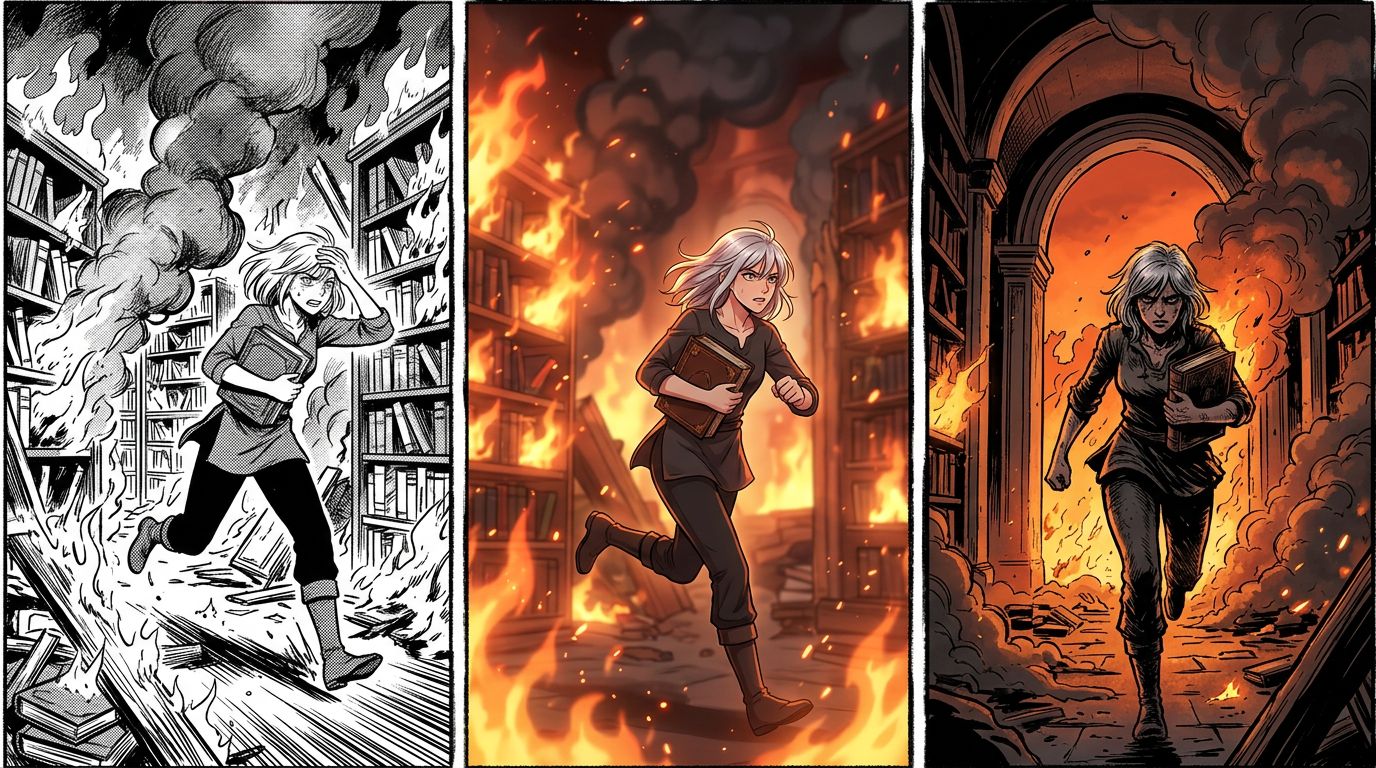
Kira stepped into the burning archive. Shelves of scrolls collapsed around her. Across the smoke, she saw Davan—her brother—holding the torch. He wasn't running. He was smiling.
TabStory workflow:
- Paste the chapter text into the story input field.
- Define Kira (female, mid-20s, short silver hair, leather armor) and Davan (male, late-20s, dark coat, scar on jaw) as locked characters.
- TabStory parses the passage and suggests a six-panel breakdown: establishing shot of the archive entrance, wide shot of collapsing shelves, close-up on Kira's face, reveal panel of Davan, close-up on the torch, final wide shot of both characters.
- Approve, adjust panel order, generate.
- Panel 4 (Davan's reveal) came out too dark. I hit regenerate on that single panel. The rest stayed intact.
Total time from text to six usable panels: about 14 minutes.
Midjourney workflow:
- Manually write six separate prompts. Example for panel 3: "young woman, short silver hair, leather armor, shocked expression, burning library background, manga style, cinematic lighting, --ar 9:16"
- Generate each panel separately.
- Kira's hair was silver in panels 1, 3, and 5. In panels 2, 4, and 6 it drifted to white-blonde. Using
--crefwith a reference image helped but didn't fully lock it. - No panel regeneration within a sequence—just re-prompting.
Total time: about 45 minutes, plus manual consistency fixes in Photoshop.
Canva workflow:
- Use the Magic Media text-to-image tool for each panel individually.
- No character memory at all. Kira looked like three different people across six panels.
- Style consistency was weak—panel 1 looked like a watercolor illustration, panel 4 looked like a 3D render.
Total time: 30 minutes, but the output wasn't usable as a coherent comic without heavy editing.
The gap is real. For prose-first creators, the novel to comic workflow in TabStory removes the biggest manual bottleneck.
AI Comic Generator Features: Character Consistency Deep Dive
Character consistency is the hardest problem in AI comic generation. Tools that solve it use one of two approaches: a locked character profile system (TabStory, Dashtoon) or a reference image injection system (Midjourney's --cref, ComicsMaker.ai's style lock). Profile systems are more reliable across long-form chapters. Reference injection works well for short sequences but drifts over 10+ panels.
How Locked Cast Works in Practice
In TabStory, you build a character profile once: name, visual description, personality notes. Every panel that references that character pulls from the same profile. You don't re-describe them in each prompt. This matters enormously at chapter scale—30, 40, 60 panels.
Dashtoon uses a similar system with a visual character builder. You assemble a base character from component options (face shape, hair, clothing), then the system references that asset in generation. It's more structured than TabStory's text-profile approach, which means less drift but also less flexibility for unusual character designs.
Midjourney's --cref flag lets you attach a reference image to a prompt. It works well for 5-10 panels. By panel 20, subtle drift accumulates—especially in facial features and hair texture. You can correct it, but it's manual work every few panels.
The Failure Case: What Still Breaks
Here's an honest failure I hit with TabStory during this test.
I had a scene where Kira and Davan appear in the same panel for the first time. Both characters were well-defined individually. But in the two-character panel, the system generated Davan's scar on the wrong side of his jaw. In the next panel (single character), the scar was back on the correct side. The locked profile held for solo panels but showed inconsistency in complex multi-character compositions.
This isn't unique to TabStory—it's a known limitation across all current AI comic tools. Multi-character panels with specific positional or physical detail requirements still need manual review and occasional regeneration. The workaround: break complex two-character panels into a sequence of closer shots (over-the-shoulder, reaction shot, close-up) rather than a single wide composition. It's actually better storytelling anyway.
For a deeper look at how panel layout choices affect generation quality, Comic Panel Layout: A Practical Guide for New Creators covers the structural decisions that reduce these failure cases.
Compare AI Comic Tools on Pricing: What You Actually Get
Free tiers exist across almost every tool in this comparison, but they differ significantly in what they limit. TabStory and Dashtoon limit generation credits. Midjourney limits GPU time. Canva limits premium assets. For a creator publishing one chapter per week (roughly 20-30 panels), expect to hit free tier limits within the first month on any tool.
Pricing Breakdown by Use Case
Casual / experimenting (under 20 panels/month):
Canva's free tier covers this. So does TabStory's free tier. Midjourney's free trial is limited and doesn't renew.
Regular creator (20-60 panels/month, one chapter/week):
Dashtoon at $9.99/mo or TabStory's entry paid tier (~$12/mo) are the practical options here. Midjourney at $10/mo works if you're comfortable with manual consistency management.
High-volume / series creator (60+ panels/month):
You need a paid plan on any tool. TabStory and Dashtoon both offer higher-credit tiers. Midjourney's Standard plan ($30/mo) gives more GPU time but still requires manual workflow overhead.
One pricing factor that's easy to miss: some tools charge per generation attempt, not per final panel. If you regenerate a panel three times to get it right, that's three credits. TabStory's regenerate-one-panel feature means you're only spending credits on the panels that need fixing, not re-running the whole sequence.
Comic AI Tools Compared: Style Range and Output Quality
Midjourney produces the highest raw image quality in this comparison, but it generates single images, not comic sequences. For sequential comic output with consistent characters and panel flow, TabStory and Dashtoon produce more usable results per hour of work, even if individual panel quality is slightly lower than Midjourney's ceiling.
Style Options by Tool
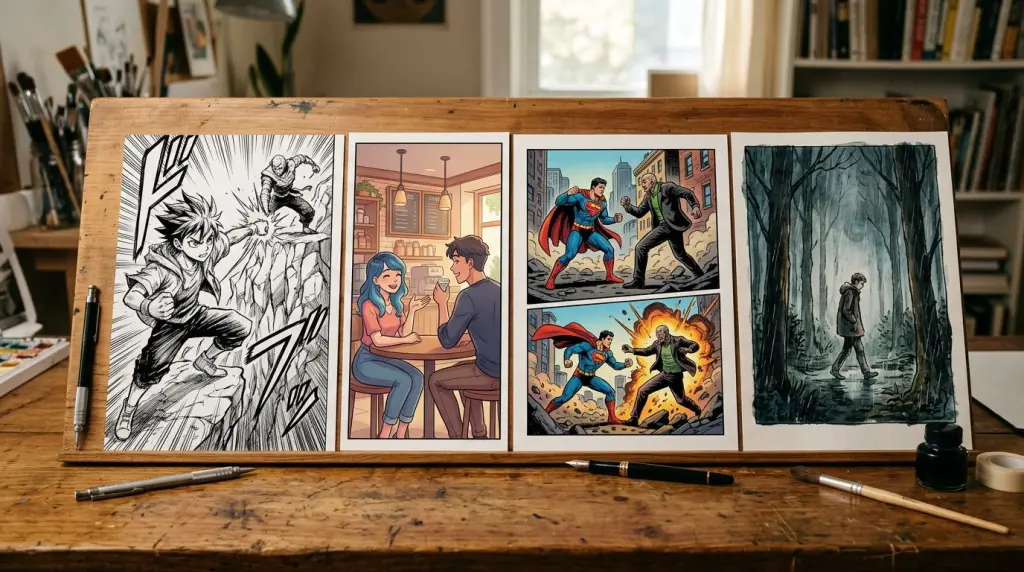
- TabStory: Manga (shonen, shojo, seinen), webtoon (Korean full-color vertical), western comic, noir, watercolor. Style applies consistently across a chapter.
- Midjourney: Essentially unlimited styles via prompting. Consistency across panels requires manual effort.
- Canva: Broad style options but inconsistent application in sequential panels.
- Dashtoon: Webtoon-optimized. Strong vertical scroll output. Limited western comic styles.
- LlamaGen: Strong anime/manga output. Weak on western styles.
- GenToon: Good webtoon and cartoon output. No persistent character system.
- ComicsMaker.ai: Solid manga and western options. See the ComicsMaker.ai comparison page for a detailed breakdown.
If you're building a manga specifically, the AI manga generator workflow handles Japanese-style panel composition and reading direction natively. For vertical scroll webtoon format, the AI webtoon generator handles the long-strip layout automatically.
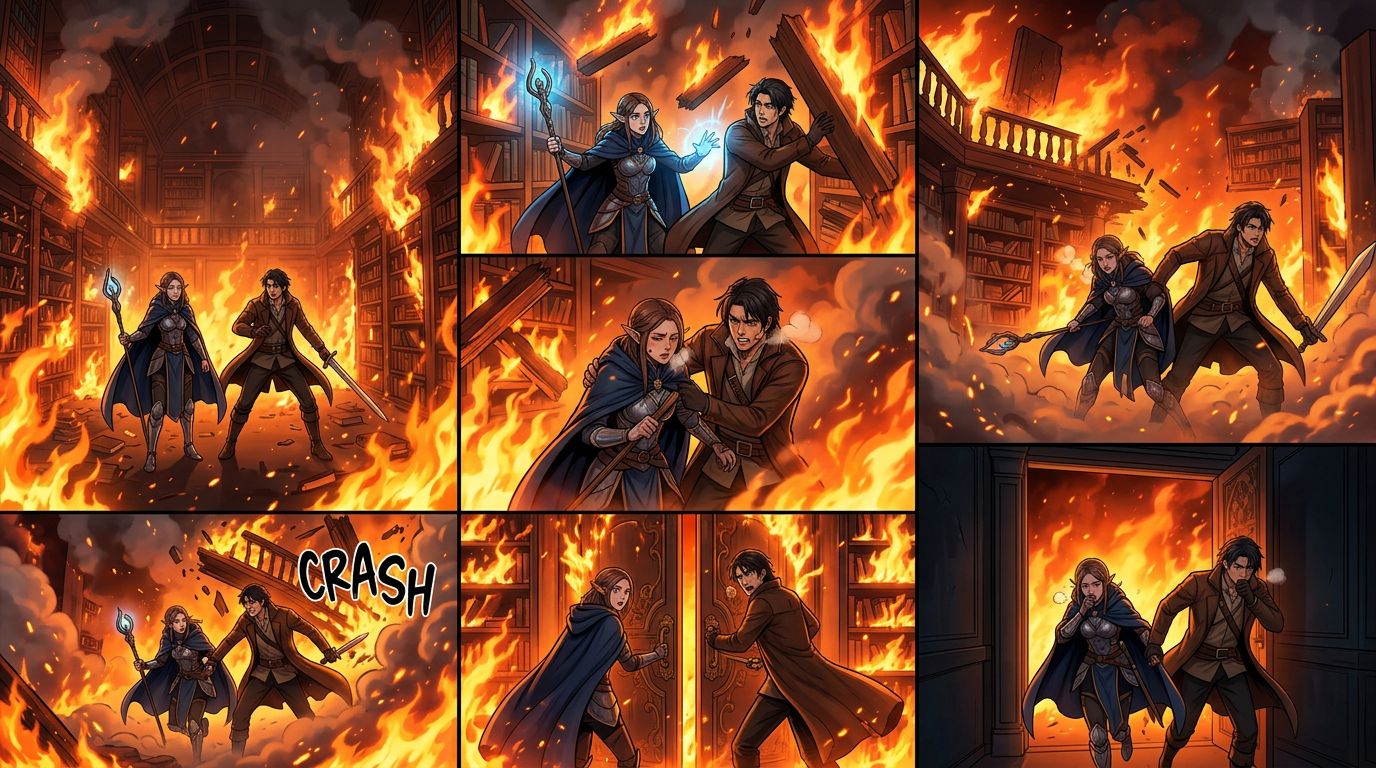
Which AI Comic Generator Should You Choose?
The right tool depends on your source material and workflow. If you start from prose or a written story, choose a tool with text/story input. If you start from visual concepts and don't need multi-chapter consistency, a general image tool with strong style control works fine.
Decision Framework
You're a writer converting a novel or Wattpad story to comic format:
Use TabStory. The chapter-as-source-of-truth workflow is built for this. Paste your text, define your cast, generate. See AI Comic Generators for Writers: Turn Your Fiction Into Visual Stories for the full writer-specific workflow.
You're a visual artist who wants AI to speed up panel rendering:
Midjourney gives you the most control over individual image quality. Accept that you'll manage consistency manually.
You're building a webtoon series with a regular publishing schedule:
Dashtoon or TabStory. Both support locked characters and chapter-level organization. Dashtoon's visual character builder is more structured; TabStory's text-profile system is more flexible for complex or unusual character designs.
You want to try comic creation with zero investment:
Start with Canva's free tier or TabStory's free tier. Canva is easier to start but hits consistency walls fast. TabStory's free tier gives you a real sense of the story-to-comic workflow.
You want to compare specific alternatives in depth:
Check the dedicated pages for Dashtoon, Midjourney, and Canva for side-by-side workflow details.
For a broader ranked list with more tools included, Best AI Comic Generators in 2026: Tested and Ranked covers additional options beyond this comparison.
FAQ
Q: Can I use my Wattpad story directly as input for an AI comic generator?
A: Yes, but only with tools that accept prose input. TabStory lets you paste a chapter directly and parses it into a panel sequence. Most other tools require you to manually convert each scene into individual image prompts first.
Q: How many panels can I generate on a free plan?
A: It varies. TabStory and Dashtoon both offer free tiers with limited monthly credits—enough to test a short chapter. Midjourney's free trial is very limited and doesn't renew monthly. Canva's free tier has no panel limit but lacks character consistency features.
Q: Which tool is best for keeping a character's face consistent across 40+ panels?
A: TabStory's locked character profile system and Dashtoon's visual character builder are the strongest options for long-form consistency. Midjourney's --cref reference system works for short sequences but drifts over 20+ panels without manual correction.
Q: Do AI comic generators support manga reading direction (right to left)?
A: TabStory's manga mode supports right-to-left panel ordering. Most other tools generate panels as individual images and leave reading direction layout to you.
Q: What's the biggest limitation of current AI comic generators in 2026?
A: Multi-character panels with specific positional or physical detail requirements. When two defined characters appear in the same panel, most tools show more drift in character-specific details (scars, markings, accessories) than they do in single-character panels. This is an active area of improvement across all tools.
Ready to test the story-to-comic workflow yourself? Paste a chapter, define your cast, and generate your first sequence with the AI comic generator at TabStory—no design experience required.